
Flux 2 New Features in 2026: Complete Guide
A practical 2026 guide to Flux 2 new features, with workflow examples, prompt templates, and optimization tips for creators, marketers, and product teams.
Flux 2 has become one of the most discussed image models in the 2026 creative stack. If you used earlier Flux versions or other diffusion models, the difference is easy to feel: better instruction following, stronger visual consistency, and a cleaner path from idea to production-ready assets.
This guide breaks down the biggest Flux 2 updates in plain language. You will get what changed, why it matters, and how to adapt your prompt and editing workflow for better output quality.
What Is Flux 2 in 2026?
Flux 2 is the latest generation of the Flux image model family focused on practical creation quality, not only benchmark quality. In 2026, the model direction is clear:
- follow complex prompts with fewer retries
- preserve character and brand details more reliably
- support cleaner text and layout inside generated images
- improve end-to-end speed for production teams
In short, Flux 2 is less about one-shot "wow" images and more about repeatable workflows that survive real deadlines.
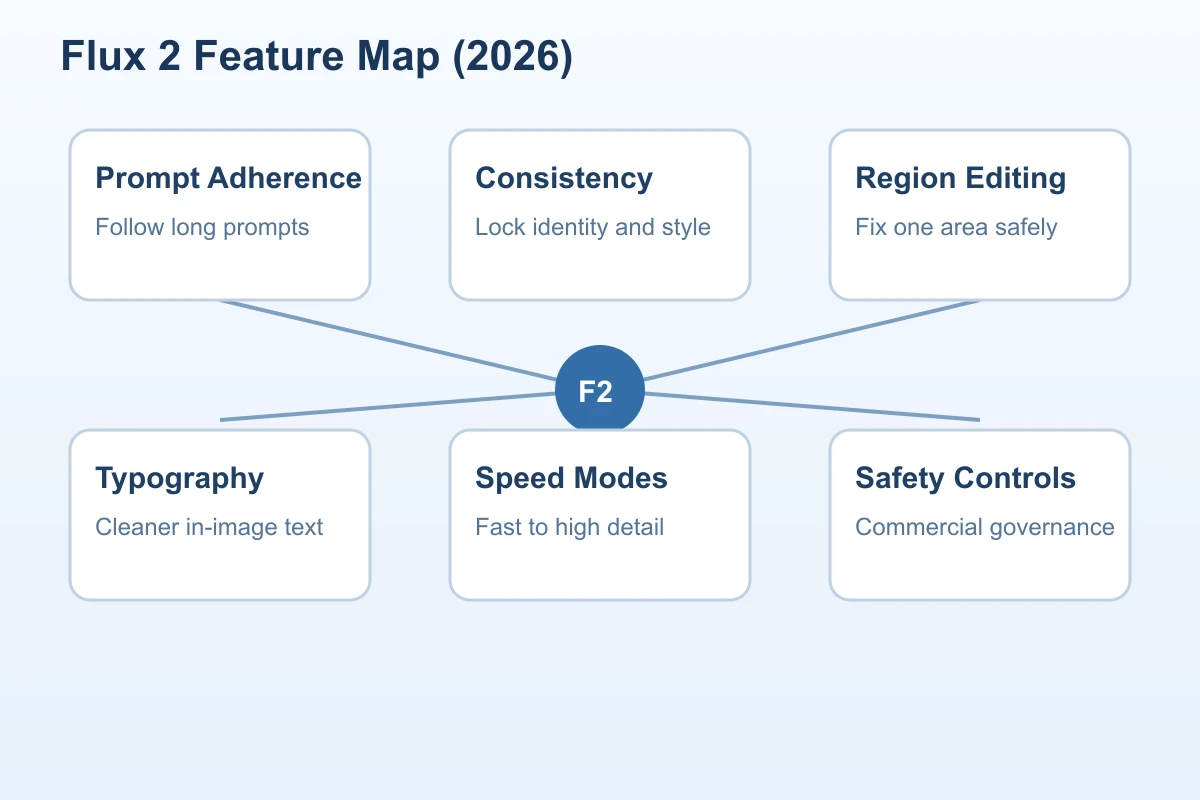
Flux 2 New Features in 2026 at a Glance
Here is the high-level view before we go deeper:
- Better instruction adherence for long prompts and multi-step constraints.
- Improved identity and style consistency across batches.
- Stronger region editing and multi-reference control.
- More reliable text rendering for posters, social graphics, and UI mockups.
- Faster generation modes with better quality-to-cost balance.
- Expanded safety and rights controls for commercial teams.
1) Better Prompt Understanding and Instruction Following
One of the biggest 2026 gains is prompt reliability. Flux 2 handles layered instructions with less drift, especially when you specify:
- subject attributes
- scene context
- camera framing
- visual style
- output constraints
For example, older models often ignored one part when prompts became long. Flux 2 keeps more of the instruction stack active, so outputs stay closer to intent.
Practical impact
- fewer prompt rewrites before reaching usable results
- better first-pass quality for campaign concepts
- easier collaboration between creative and marketing teams
Prompt pattern that works
Use structured prompts in blocks:
Subject: Minimalist electric scooter on a city bridge at sunrise.
Style: Commercial lifestyle photography, premium, realistic.
Composition: 3/4 front angle, full scooter visible, negative space on right.
Lighting: Warm sunrise rim light, soft shadows.
Constraints: No logos, no text artifacts, clean pavement, no crowd.
Output: 16:9, high detail, ad-ready.
This structure reduces ambiguity and helps Flux 2 prioritize the right details.
2) Character, Product, and Style Consistency
Consistency has become the core requirement for teams shipping multiple assets per week. In 2026, Flux 2 improves consistency in two ways:
- better retention of identity cues from references
- stronger style persistence across variations
This matters for character-driven channels, ecommerce catalogs, and recurring brand creatives.
Where it helps most
- creator avatars across thumbnails and social posts
- product hero shots with unified art direction
- ad set variations that keep one visual identity
Workflow tip
Lock your consistency anchors early:
- define one base prompt with identity-critical details
- define one style line used in every variation
- change only one variable per batch (angle, background, or color mood)
This gives you controlled iteration instead of random drift.
3) Region Editing and Multi-Reference Workflow
Flux 2 in 2026 makes editing workflows much more practical. Instead of regenerating entire images for small fixes, you can apply targeted edits with better context awareness.
Common use cases:
- change outfit color while preserving face identity
- replace background without damaging foreground edges
- swap product label variants while keeping the lighting setup
Multi-reference support is also more useful now. You can combine identity, environment, and style references with clearer weighting behavior. The key is to keep each reference role explicit.
Reference role template
Reference A: subject identity and facial structure.
Reference B: background environment and depth.
Reference C: color mood and texture style.
Priority: A high, B medium, C medium-low.
If your references conflict, Flux 2 still has to choose. Give each image a clear job.
4) Text Rendering and Layout Improvements
Text inside generated images used to be unreliable. Flux 2 is not perfect, but 2026 updates make it significantly more usable for:
- ad headlines in hero creatives
- poster-style graphics
- social card designs
- simple UI concept frames
The biggest change is stability: fewer broken letters, fewer random glyphs, and better line alignment under moderate complexity.
Best practices for text-heavy outputs
- keep headline length short
- prefer one language per image
- specify typography mood (clean sans-serif, editorial serif, etc.)
- request generous spacing and simple hierarchy
For mission-critical copy, generate design direction with Flux 2, then finalize text in Figma or your design tool.
5) Faster Variants and Better Cost Control
The 2026 Flux 2 workflow is built for iteration speed. Teams can produce broad concept exploration first, then switch to high-detail renders only for shortlisted options.
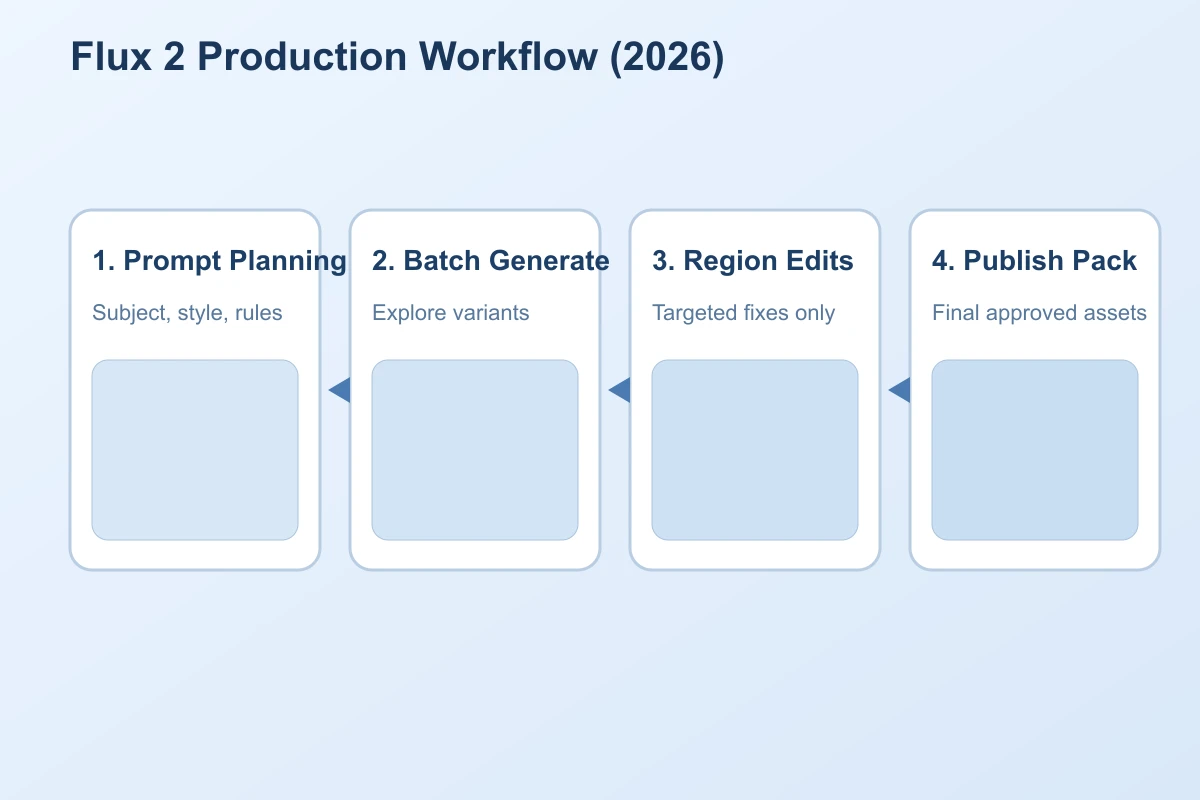
A common production pattern:
- rapid concept batch (low cost, high breadth)
- shortlist top 3 to 5 candidates
- upscale or high-detail rerender for final delivery
- apply region edits for campaign variants
This step-based approach reduces wasted generation and keeps quality focused where it matters.
6) Safety, Rights, and Enterprise Controls
As Flux 2 usage scales in marketing and product teams, governance matters more. 2026 improvements include better policy filtering and clearer production controls in managed environments.
For commercial teams, the practical lesson is simple: build a repeatable policy checklist around prompts, source references, and final exports.
Minimum checklist:
- verify reference ownership before generation
- avoid sensitive trademark mimicry unless licensed
- keep an internal log for final approved prompts and outputs
- separate experimentation from publish-ready asset folders
A reliable process protects both creative velocity and brand safety.
Best Prompt Patterns for Flux 2 in 2026
Use these templates to start faster.
A) Product Advertising Prompt
Create a premium product hero image of a matte black wireless earbud case on a reflective stone surface.
Style: clean commercial studio photography.
Lighting: dramatic side key light plus subtle fill.
Composition: centered case, slight top-down angle, shallow depth of field.
Background: dark slate gradient, minimal distractions.
Constraints: no logos, no random text, no extra objects.
Output: 4:5, ultra clean, campaign-ready.
B) Character Consistency Prompt
Generate a stylized portrait of the same female host character across three expressions: neutral, smile, confident.
Identity lock: short curly hair, gold round glasses, medium skin tone, oval face.
Style: vibrant editorial illustration with soft grain.
Composition: head and shoulders, same camera distance for all three.
Background: warm beige gradient.
Constraints: preserve facial proportions and hairstyle in all variants.
Output: 3-panel layout, high detail.
C) Social Promo Card Prompt
Design a clean social media promo card for a productivity app launch.
Headline text: "Plan Better. Ship Faster."
Subtext: "Now with AI sprint summaries."
Style: modern SaaS visual language, minimal, confident.
Palette: navy, cyan, white.
Layout: left-aligned text block with abstract geometric accent on right.
Constraints: legible typography, no spelling errors, high contrast.
Output: 1:1, polished brand aesthetic.
Common Mistakes to Avoid
Even with Flux 2 upgrades, these mistakes still reduce quality:
- writing vague prompts like "make it better"
- mixing too many styles in one instruction
- changing five variables at once during iteration
- skipping constraints (watermark, artifacts, extra limbs)
- expecting one prompt to solve every output format
When results fail, simplify the prompt, isolate variables, and test in short cycles.
FAQ
Q: Is Flux 2 only for artists?
A: No. It is useful for marketers, founders, product teams, and content creators who need fast visual production.
Q: Do I still need reference images in 2026?
A: For consistency-focused work, yes. References improve identity control and reduce random style drift.
Q: Can Flux 2 replace design tools completely?
A: Not fully. It accelerates concepting and asset generation, but final layout and brand-perfect typography often still need design software.
Q: What is the fastest way to improve output quality?
A: Use structured prompt blocks, clear constraints, and one-variable iteration.
Q: Is Flux 2 good for ecommerce creatives?
A: Yes, especially for variant generation, background swaps, and rapid campaign concept testing.
Final Thoughts
Flux 2 new features in 2026 are about production reliability: stronger prompt adherence, better consistency, smarter editing, and faster delivery loops. If your team creates visual assets every week, these upgrades can reduce rework and improve output quality at the same time.
Want to test this workflow now? Try NanoEditor and build your first Flux 2 style pipeline in minutes.
Recommended Reading
More Nano Banana Pro guides and workflows you may find useful.
How to Keep Cartoon Character Colors Consistent in AI Image Generation
A practical guide to keeping cartoon character colors stable in AI image generation with small palettes, HSB language, prompt references, and visual comparison habits.
Nano Banana 2 vs Nano Banana Pro: Which AI Image Model Should You Use?
A practical comparison of Nano Banana 2 and Nano Banana Pro with public data points and clear selection guidance.
Nano Banana Pro Advanced Techniques: Infographics, Comics & Fusion
Turn long text into infographics, build multi-panel comics, fuse up to 14 images, and leverage typography, 4K output, and branded assets with Nano Banana Pro.