
AI Caricature Prompt Guide (2026): How to Get Better Cartoon Avatars
A practical AI caricature prompt guide with templates, examples, and optimization tips for social media avatars, profile pictures, and branded cartoon portraits.
If you have ever typed "make me a cartoon" and got random, inconsistent results, you are not alone. Most bad outputs come from weak instructions, not weak models. A good AI caricature workflow starts with a clear prompt structure, style control, and iteration plan.
This guide shows you exactly how to write better prompts for caricature portraits, cartoon avatars, and social-ready profile images. You will get reusable prompt templates, high-signal keywords, and practical examples you can adapt in minutes.
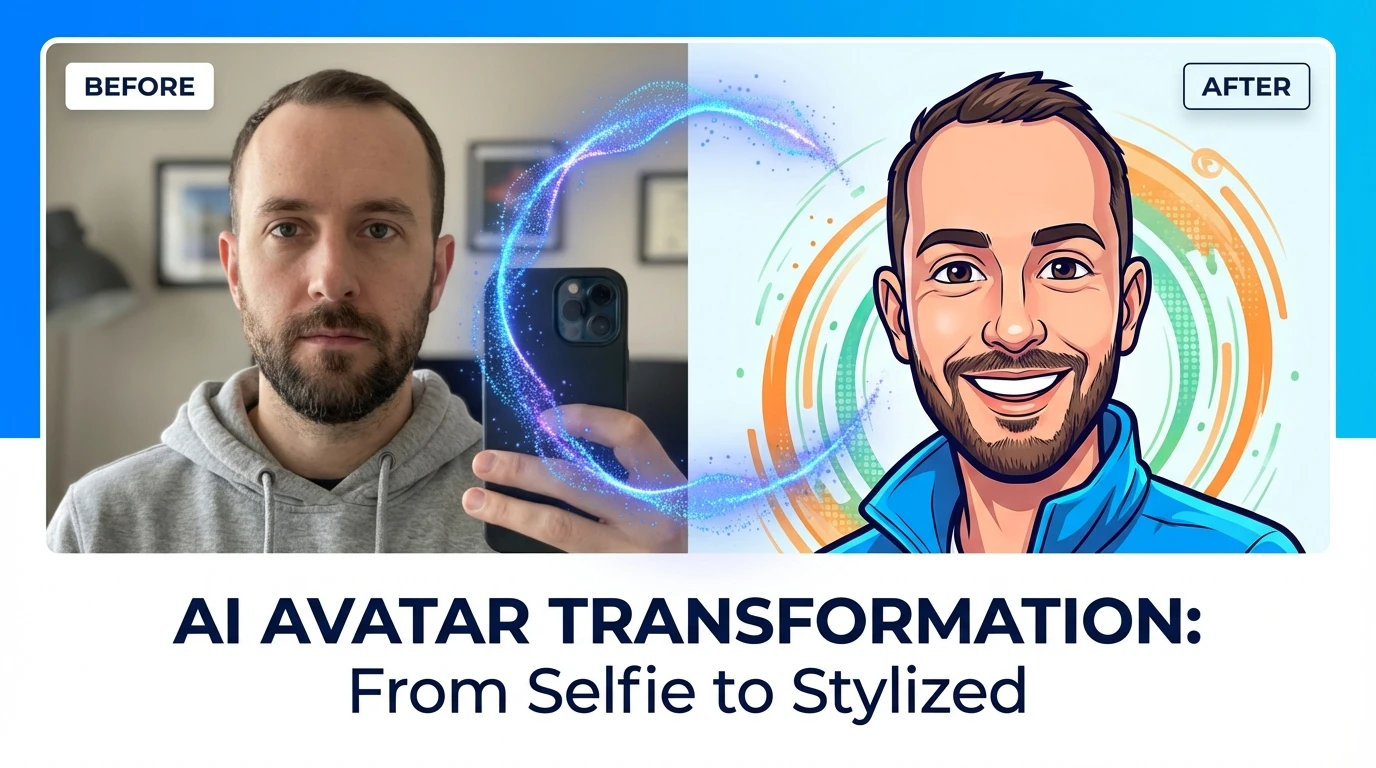
What Is an AI Caricature?
An AI caricature is a stylized portrait that exaggerates selected traits while preserving identity. Unlike pure photo filters, caricature generation tries to balance three things:
- recognizable facial identity
- intentional style distortion
- visual storytelling (mood, context, personality)
That balance is why prompt quality matters. If your prompt only says "cartoon style", the model guesses everything else. If your prompt defines facial emphasis, art direction, and composition, the output becomes much more consistent.
Caricature vs. Cartoon Avatar
These terms overlap, but they are useful to separate when writing prompts:
- Caricature: stronger exaggeration, playful personality, expressive facial geometry
- Cartoon avatar: cleaner, flatter, brand-safe profile image with limited distortion
If you need a professional LinkedIn-friendly image, use avatar-focused language. If you need social or entertainment content, increase caricature intensity.
The Prompt Formula That Works
Use this 6-part structure for better control:
- Subject identity
- Exaggeration direction
- Art style
- Composition and framing
- Color and lighting
- Output constraints
Base Template
Create an AI caricature portrait of [subject], preserving recognizable facial identity.
Exaggerate [specific features] in a [subtle/moderate/strong] way.
Style: [3D cartoon / hand-drawn editorial / Pixar-like / vector illustration].
Composition: [head-and-shoulders close-up], [camera angle], [background type].
Lighting and color: [soft studio light], [palette], [mood].
Output: [high detail], [clean edges], [no extra limbs], [no text], [4:5 ratio].
This format reduces ambiguity and gives the model fewer chances to drift.
Prompt Building Blocks
1) Subject Identity
The first line should lock identity and intent.
Examples:
- "Create a caricature portrait of a young male software founder with short black hair and glasses, preserving clear likeness."
- "Create a caricature avatar of a female product manager with shoulder-length hair and warm smile, recognizable and professional."
Avoid generic starts like "draw a person". Identity precision drives consistency.
2) Exaggeration Direction
Do not say only "exaggerate features". Specify what and how much.
Useful phrases:
- "slightly enlarge expressive eyes"
- "moderately emphasize jawline and smile"
- "keep nose natural, avoid extreme distortion"
- "playful forehead/eyebrow emphasis, still realistic"
3) Style Keywords
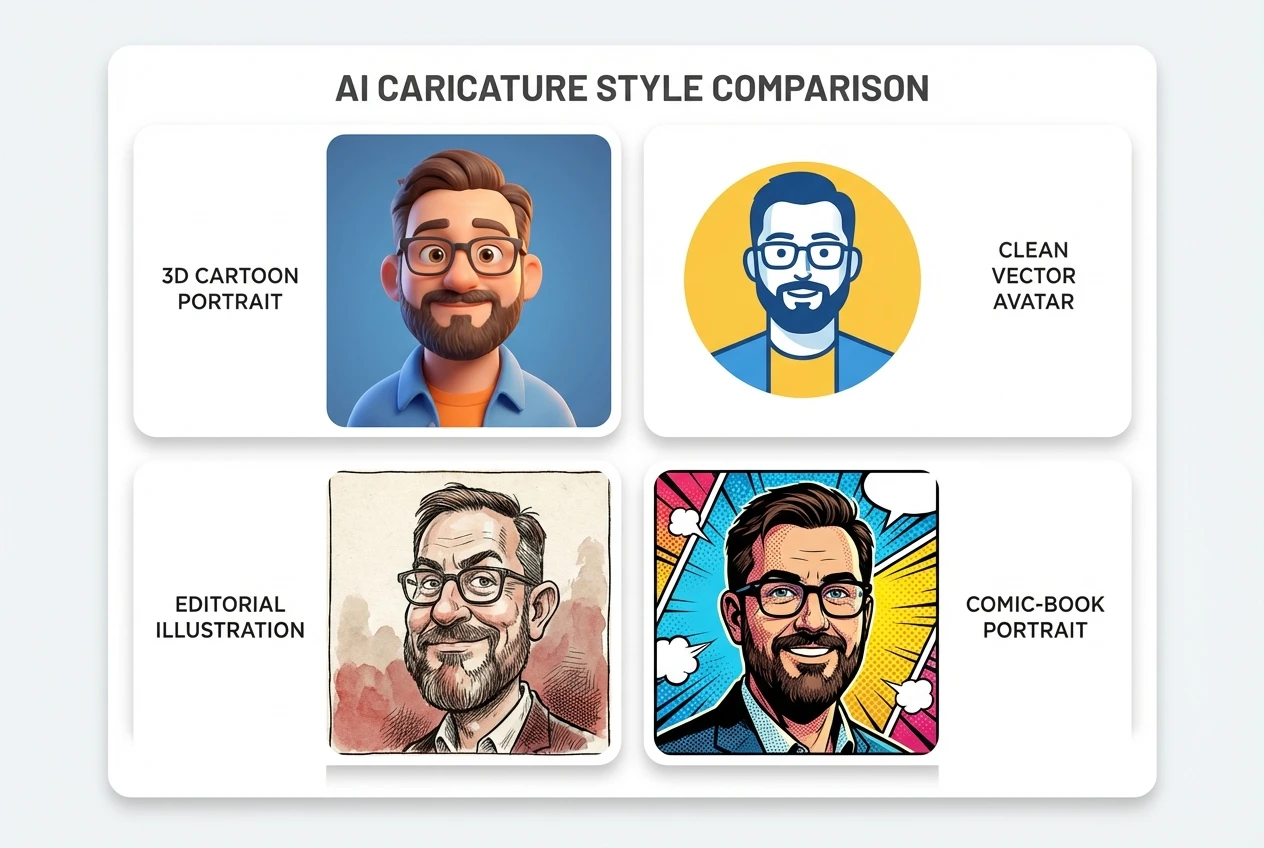
Common high-performing styles for AI caricature:
- "3D stylized cartoon portrait"
- "editorial caricature illustration"
- "clean vector avatar, minimal shading"
- "comic-book portrait with soft outlines"
- "digital painting caricature, semi-realistic"
Pick one primary style. Mixing too many styles in one prompt usually lowers quality.
4) Composition and Camera
Control framing to avoid weird crops.
Use phrases like:
- "head-and-shoulders composition"
- "face centered with breathing room"
- "straight-on camera"
- "slight 3/4 angle"
- "plain gradient background"
5) Color and Lighting
Color direction changes output mood quickly.
Try:
- "bright, cheerful palette with warm highlights"
- "neutral professional palette, blue-gray background"
- "soft studio lighting, subtle rim light"
- "high contrast comic lighting"
6) Constraints and Quality Guards
Always add negative constraints.
Recommended guardrails:
- "no text, no watermark"
- "no extra fingers, no duplicate face"
- "avoid deformed ears/eyes"
- "clean background, no clutter"
10 Ready-to-Use AI Caricature Prompts
Professional Avatar
Create an AI caricature avatar of a confident startup founder, preserving strong facial likeness.
Use subtle exaggeration on eyebrows and smile, keep proportions believable.
Style: clean 3D cartoon portrait, polished and modern.
Composition: head-and-shoulders, centered, slight 3/4 angle.
Background: soft blue gradient, minimal and professional.
Lighting: soft studio key light with gentle rim light.
Output: high detail, clean edges, no text, no watermark, 4:5 ratio.
Playful Social Profile
Create a fun AI caricature portrait for social media, with recognizable identity.
Moderately exaggerate eyes and cheek expression for a friendly look.
Style: vibrant digital cartoon illustration.
Composition: close-up portrait, straight-on angle.
Background: colorful abstract blobs, clean and modern.
Output: sharp details, no extra limbs, no text, square format.
Creator Branding Style
Generate a branded cartoon avatar caricature of a content creator.
Keep face likeness accurate, emphasize expressive smile and hairstyle silhouette.
Style: vector-like clean illustration with limited shading.
Palette: orange, navy, and white.
Composition: chest-up portrait with negative space for profile crop.
Output: crisp outline, no noise, no watermark, high resolution.
(Use this pattern to build role-specific variants for gaming, coaching, SaaS founders, and agency teams.)
Common Mistakes That Ruin Results
Mistake 1: Style Overload
Prompting "Pixar + anime + comic + oil painting" confuses the model. Pick one main visual language.
Mistake 2: No Identity Anchor
Without clear identity details, every generation becomes a different person.
Mistake 3: No Exaggeration Control
If you do not specify subtle/moderate/strong exaggeration, outputs swing from boring to broken.
Mistake 4: Missing Constraints
No constraints means more artifacts: extra fingers, warped backgrounds, random text.
Mistake 5: Regenerating Blindly
Do not keep hitting generate without prompt edits. Each iteration should change one variable at a time.
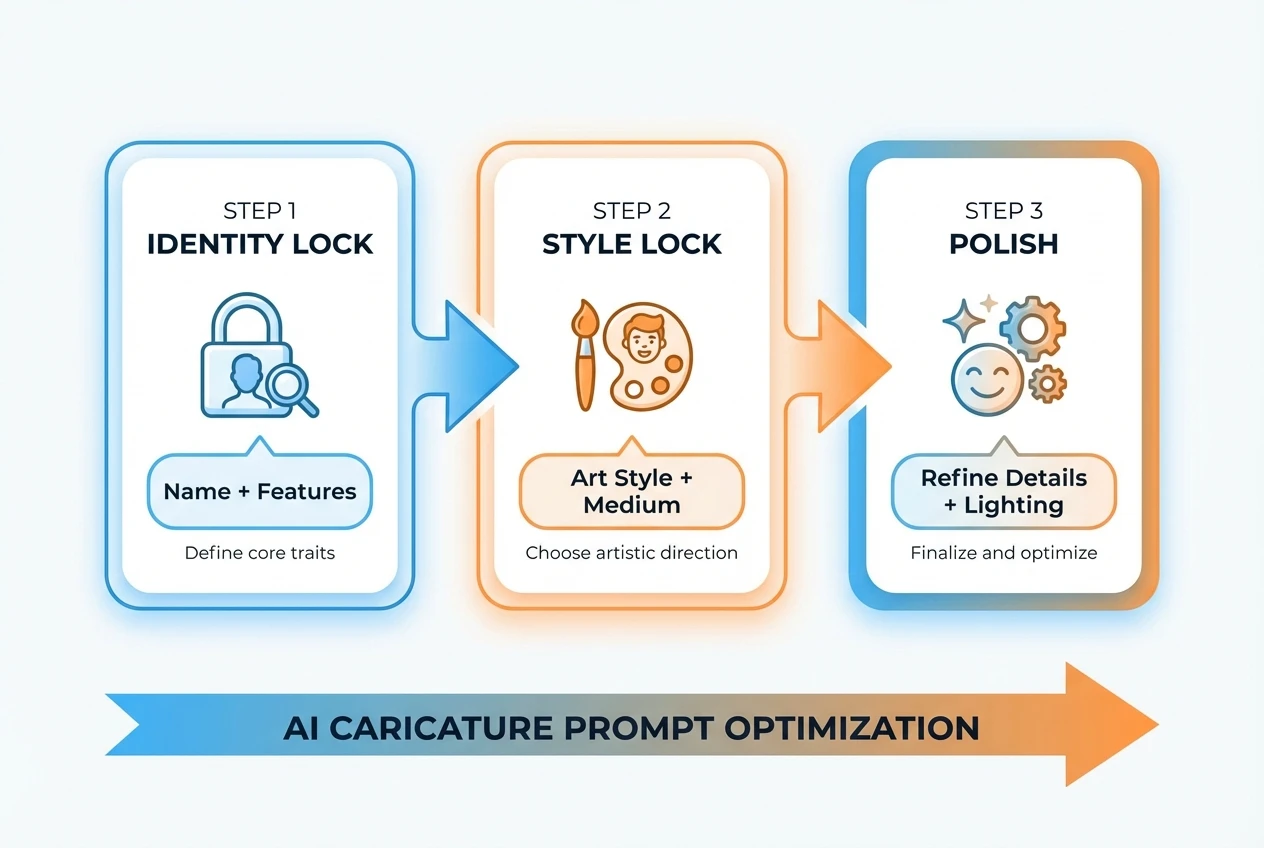
Iteration Strategy: Improve in 3 Passes
Use this quick optimization loop:
Pass 1: Identity Lock
Focus only on likeness and clean face geometry.
Pass 2: Style Lock
Add a single style direction and stable color palette.
Pass 3: Polish
Adjust exaggeration intensity, background simplicity, and edge cleanliness.
When results are close, modify one line per iteration. This is faster than rewriting the entire prompt every round.
AI Caricature for Different Use Cases
LinkedIn and Career Profiles
Use conservative exaggeration with neutral background and professional wardrobe cues.
YouTube and Creator Branding
Increase color contrast and expression intensity. Keep silhouette strong for small-size recognition.
Team Directories
Standardize prompts across team members (same style, lighting, background) for visual consistency.
Campaign Creatives
Create character variants from a base prompt for ad testing and content personalization.
FAQ
Q: What is the best style for first-time users?
A: Start with "clean 3D cartoon portrait" and subtle exaggeration. It is the most stable baseline for identity preservation.
Q: Why do faces look different across generations?
A: Usually the prompt lacks identity anchors or the style instructions are too broad. Add concrete facial and composition details.
Q: Should I use negative prompts?
A: Yes. Add constraints like "no text, no watermark, no extra limbs, no duplicate face" to reduce common artifacts.
Q: What aspect ratio is best for profile photos?
A: For profile images, square or 4:5 works well. Keep enough margin around the head for platform crops.
Q: Can I use AI caricatures for business branding?
A: Yes, if your brand voice supports friendly visuals. For formal industries, reduce exaggeration and simplify backgrounds.
Final Checklist Before You Generate
- identity line is specific
- exaggeration intensity is explicit
- style is singular and clear
- composition is controlled
- constraints are included
- output ratio matches platform
If you follow this checklist, your AI caricature results become faster, cleaner, and more consistent.
Ready to build your first high-quality cartoon avatar? Try NanoEditor now and apply the prompt formula from this guide.
Recommended Reading
More Nano Banana Pro guides and workflows you may find useful.
Flux 2 New Features in 2026: Complete Guide
A practical 2026 guide to Flux 2 new features, with workflow examples, prompt templates, and optimization tips for creators, marketers, and product teams.
Why AI Caricature Went Viral: A Deep Dive into the 2026 Phenomenon
Why did AI caricature go viral in 2026? A deep analysis of the underlying logic behind phenomenon-level spread across four dimensions: technology maturity, social currency psychology, platform algorithm amplification, and low barriers to user creation.
ChatGPT Image Generation Guide 2026: Complete Overview
A practical 2026 guide to ChatGPT image generation, covering GPT-Image 1.5 features, prompt templates, workflow optimization, and real-world use cases for creators and businesses.