
AI Headshot Generator: Create Professional Portraits from Your Photos
Learn how AI headshot generators create professional portraits from casual photos, best practices for uploading photos, prompt tips, and industry-specific use cases.
Your professional image matters. Whether you are updating your LinkedIn profile, building a company directory, or preparing for a job search, a polished headshot creates the right first impression. An AI headshot generator transforms your everyday photos into studio-quality professional portraits without expensive photography sessions or time-consuming studio visits.
Upload a single photo, describe your desired look, and receive a professional headshot in seconds. The technology preserves your natural features while enhancing lighting, background, and overall presentation to meet professional standards across industries.
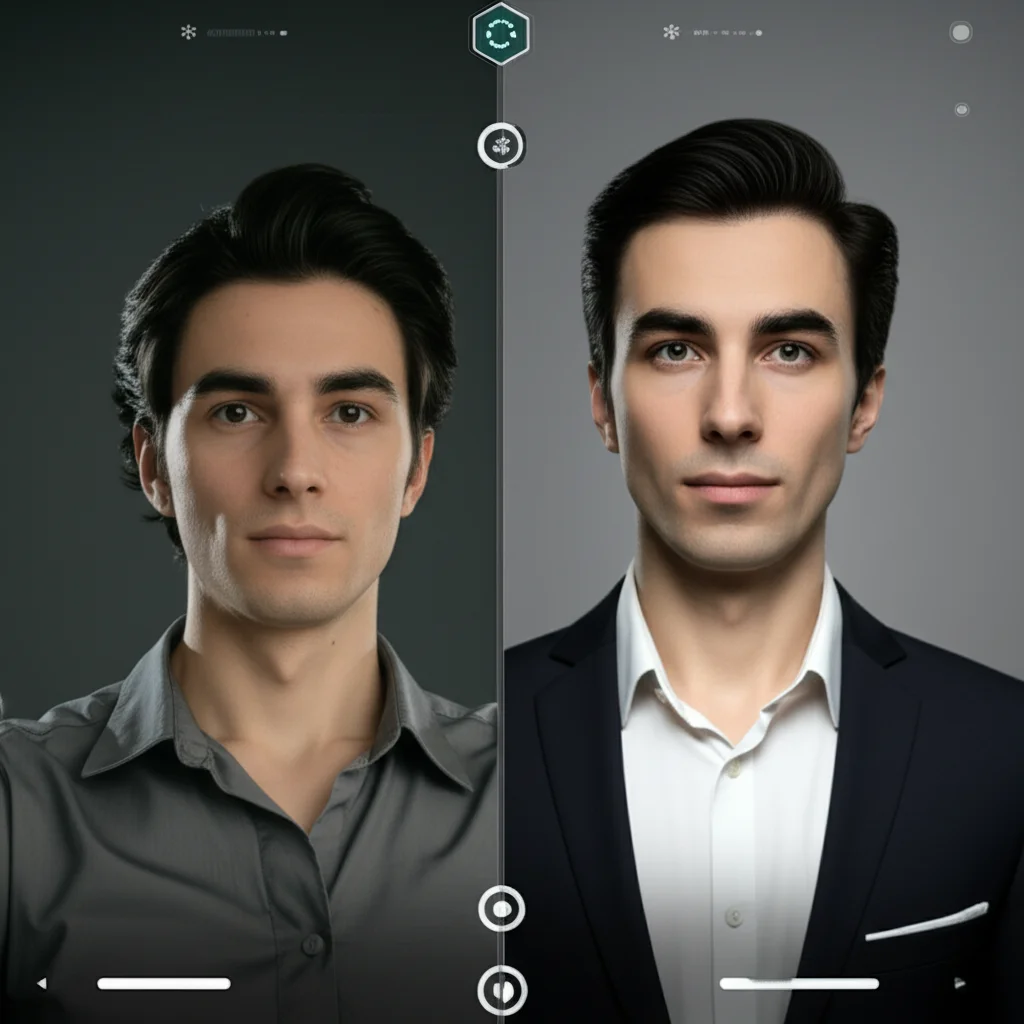
What Is an AI Headshot Generator?
An AI headshot generator is a specialized tool that uses artificial intelligence to create professional portrait photographs from casual photos or text descriptions. Unlike general photo editors that simply apply filters, these generators understand professional photography standards including lighting direction, background composition, skin tone consistency, and corporate aesthetic requirements.
The technology behind AI headshot generators relies on deep learning models trained on thousands of professional portraits. These models learn what makes a headshot effective for business contexts: appropriate facial expressions, neutral backgrounds that do not distract, and lighting that conveys competence and approachability.
How AI Creates Professional Portraits from Everyday Photos
When you upload a photo to an AI headshot generator, the system performs several sophisticated operations:
First, the AI analyzes your facial structure, identifying key features like bone structure, eye placement, and natural expression. It then separates you from the original background, removing distracting elements regardless of where the original photo was taken.
Next, the system applies professional lighting patterns. Studio photographers typically use three-point lighting setups to eliminate harsh shadows and highlight facial features flattering. AI replicates this effect digitally, adding catchlights to eyes and soft shadows that create depth.
Finally, the generator composites your image onto a professional background appropriate for your industry and renders the final result at high resolution suitable for print and digital use.
Key Differences from Traditional Studio Photography
Traditional photography requires scheduling, travel, wardrobe preparation, and significant financial investment. Sessions typically cost between $200 and $500, with additional fees for retouching and licensing. You receive a limited number of final images weeks after the shoot.
An AI headshot generator offers immediate results at a fraction of the cost. You control the output entirely: generate multiple variations with different backgrounds, clothing styles, or expressions. If you need updates six months later, simply run the tool again rather than booking a new session.
However, AI generation works best when you start with quality source material. The technology enhances what exists rather than creating entirely new realities. Your facial features remain yours; the AI optimizes how they are presented.
Who Should Use AI Headshots?
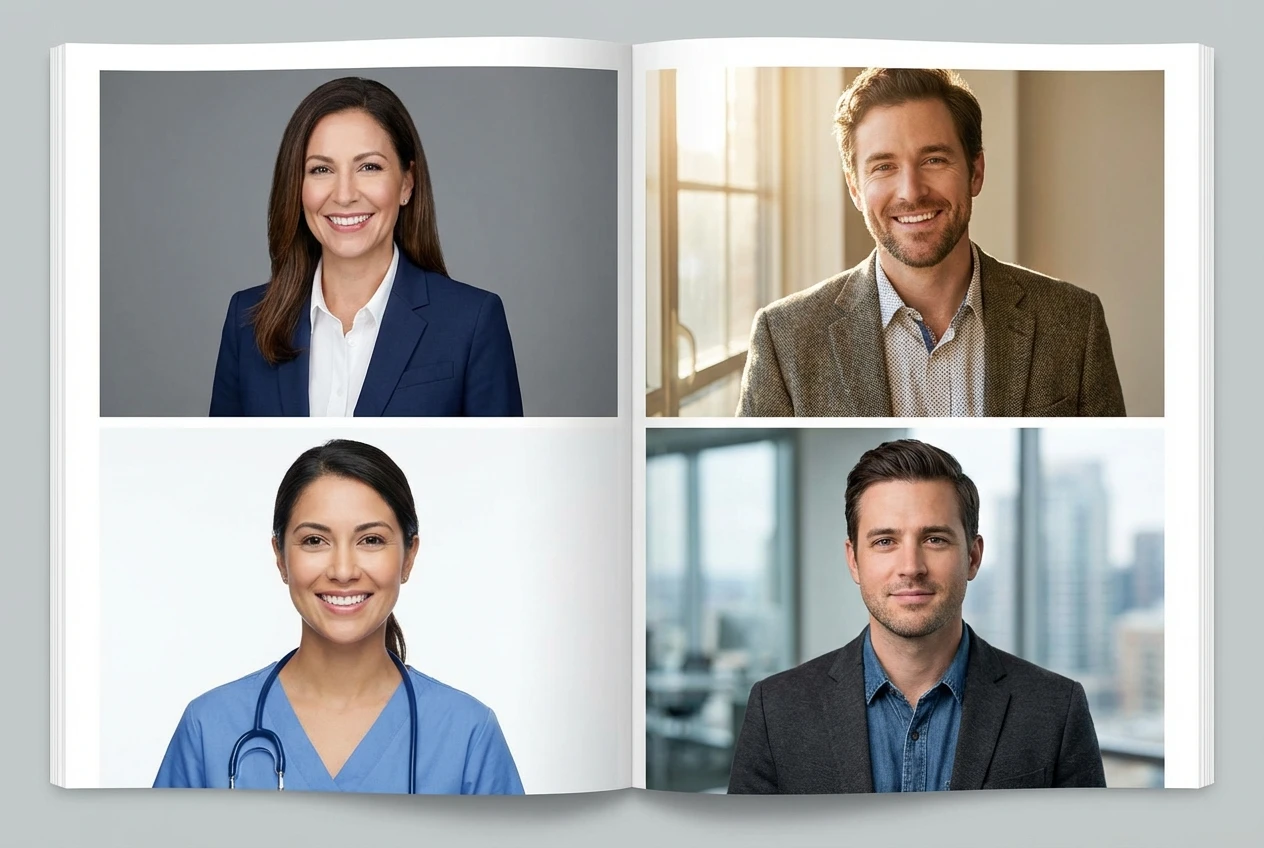
Professional portraits serve different purposes across career stages and industries. Understanding whether an AI headshot generator fits your situation helps determine if this solution meets your needs.
LinkedIn Profile Optimization for Job Seekers
Job seekers represent the largest user group for AI headshot generators. Your LinkedIn profile photo appears in search results, connection requests, and recruiter views. Profiles with professional photos receive 21 times more views and 9 times more connection requests than those without.
For active job seekers, consistency matters. Your headshot should match the professional you present in interviews. An AI-generated headshot ensures you look polished without appearing unapproachable. The technology can generate variations: one slightly more formal for finance applications, another more creative for marketing roles.
Recent graduates entering the workforce particularly benefit. Career center headshots often have long waitlists, and smartphone selfies lack professional quality. An AI headshot generator bridges this gap affordably.
Corporate Teams and Remote Workforce Needs
Human resources departments face challenges maintaining consistent team directories. Employees join at different times, photographs happen under varying conditions, and the result looks disjointed on company websites.
AI headshot generators solve this by standardizing output across hundreds of employees. Everyone receives the same background treatment, lighting style, and color grading. Remote teams especially benefit: employees upload selfies from home offices worldwide and receive matching professional headshots without travel to corporate headquarters.
Some companies use AI generation for internal directories while reserving traditional photography for executive leadership pages. This hybrid approach maintains visual standards while managing costs sensibly.
Entrepreneurs, Freelancers, and Consultants
Independent professionals must establish credibility quickly. Your website, pitch decks, and social media profiles need consistent, professional imagery. Yet solo practitioners rarely have budgets for professional photography sessions.
An AI headshot generator provides the visual assets needed for personal branding. Create variations for different contexts: formal for investor presentations, approachable for client-facing materials, creative for portfolio sites. Update annually to keep your image current without recurring photography costs.
How to Generate Your AI Headshot
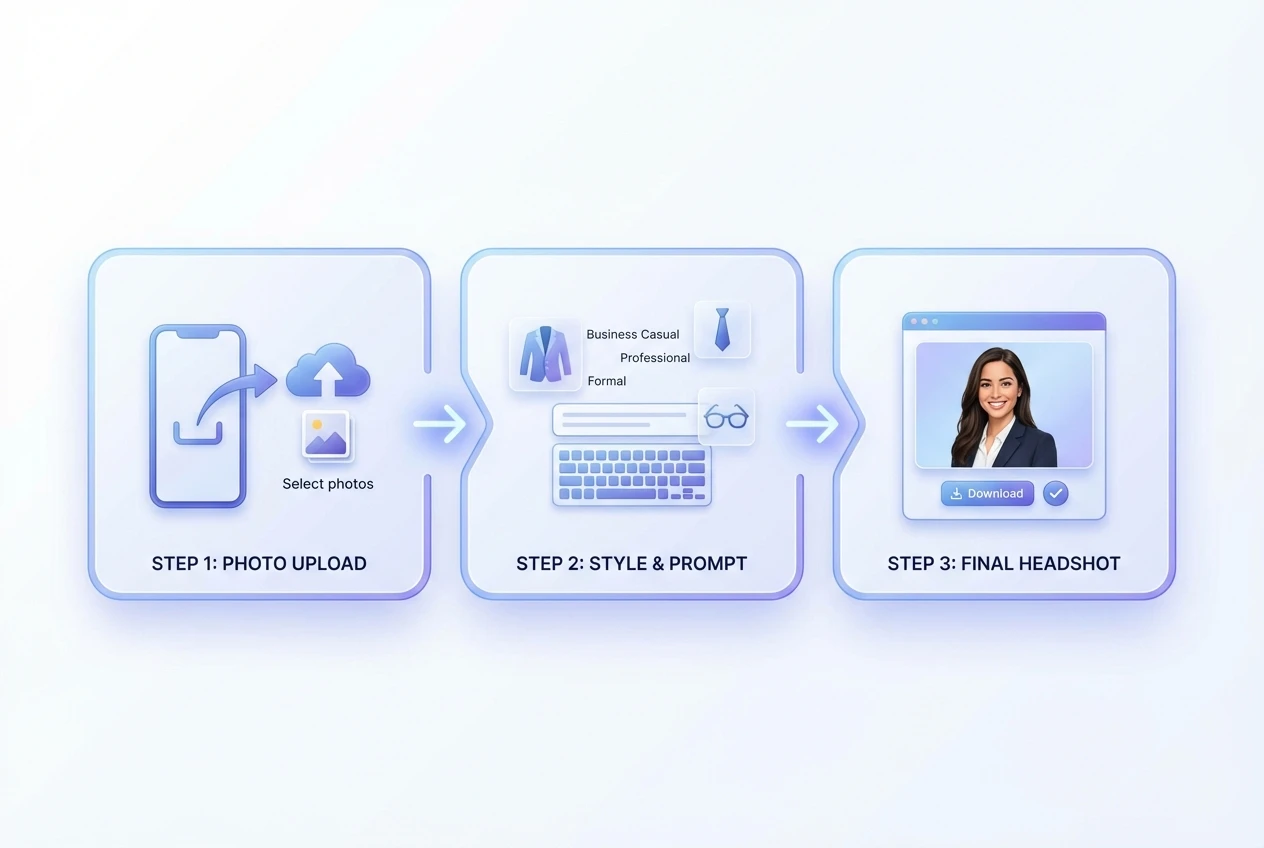
Creating your professional headshot requires three simple steps:
Step 1: Upload Your Source Photo Choose a clear, well-lit photo of yourself facing the camera. Selfies work fine if they show your face clearly without heavy filters. The AI needs to see your actual features to preserve them accurately.
Step 2: Describe Your Desired Output Specify clothing style, background preference, and overall mood. Detailed descriptions yield better results. Include specifics about industry standards: "business formal with navy background for finance sector" generates different output than "creative professional with natural lighting."
Step 3: Generate and Download The AI processes your request in seconds. Review the generated headshot, download the high-resolution version, and use it across your professional materials. Most platforms allow multiple generations to refine results.
Prompt Guide: Getting the Results You Want
The quality of your AI headshot generator output depends heavily on your input prompt. Specific, descriptive language produces professional results that match your intentions.
Describing Clothing Styles
Professional attire varies significantly by industry. When using an AI headshot generator, specify clothing that matches your field:
- Business formal: "Dark navy suit, white dress shirt, subtle tie, tailored fit"
- Business casual: "Blazer with open-collar dress shirt, no tie, professional but approachable"
- Smart casual: "Button-down shirt, sweater or cardigan, polished but not corporate"
- Creative professional: "Stylish jacket, interesting but not distracting texture, contemporary cut"
- Healthcare/Service: "Clean professional scrubs or uniform, neat appearance, trustworthy presentation"
Avoid describing clothing you do not own or would not actually wear to work. The headshot should represent the authentic professional you.
Specifying Backgrounds
Background choices signal industry and role type. Common options include:
- Office/Workspace: Subtle blurred office environment, suggests active professional life
- Gradient/Studio: Smooth gray or blue gradient, most versatile and widely accepted
- Neutral Solid: White, off-white, or light gray, clean and distraction-free
- Environmental: Bookcases for academics, city views for urban professionals, natural elements for environmental sectors
Specify background color preferences when they matter. Some companies require specific background colors for directory consistency. Medical professionals often prefer white or light blue; legal professionals frequently choose darker, more formal backgrounds.
Lighting and Mood Keywords That Work Best
Lighting descriptors help the AI set appropriate tone:
- "Soft, diffused lighting": Flatters most faces, minimizes texture issues, universally professional
- "Three-point studio lighting": Classic professional setup, adds dimension without drama
- "Natural window light": Approachable, warm, good for creative industries
- "Corporate lighting": Bright, even, maximizes clarity and competence signals
Mood descriptors guide expression and overall feel:
- "Confident and approachable": The standard for most business applications
- "Authoritative but accessible": Appropriate for leadership positions
- "Friendly professional": Service industries, customer-facing roles
- "Thoughtful and competent": Consulting, advisory, technical expert positioning
Photo Upload Tips for Best Results
Your source photo determines the quality ceiling for AI-generated output. Follow these guidelines for optimal results from any AI headshot generator:
Recommended Image Quality and Resolution
Upload the highest resolution image available. Modern smartphones capture sufficient detail. Avoid screenshots of photos, heavily compressed images, or pictures downloaded from social media platforms that reduce quality.
Ensure your face occupies significant frame space. Head-and-shoulders composition works best. Full-body photos force the AI to enlarge and crop, potentially reducing quality.
Facial Positioning and Expression Guidance
Face the camera directly or with slight angle. Extreme profile shots lack the facial information AI needs for frontal headshot generation. Both eyes should be visible and equally lit if possible.
Use a neutral, pleasant expression. Smiling slightly with teeth showing or closed-mouth professional smiles both work. Avoid extreme expressions: laughing, serious frowns, or surprised looks rarely suit professional contexts.
Remove sunglasses, hats, or anything obscuring facial features. The AI needs clear views of your eyes, eyebrows, and facial structure to generate accurate professional versions.
Lighting in your source photo matters significantly. Natural daylight facing a window produces excellent source material. Avoid harsh overhead lighting that creates deep eye shadows or strong side lighting that hides half your face.
Common Mistakes to Avoid
Even sophisticated AI headshot generators have limitations. Avoid these common errors:
Uploading Low-Resolution or Filtered Selfies
Heavy Instagram or Snapchat filters distort facial features beyond recognition. The AI cannot restore original appearance from heavily filtered source material. Upload unedited photos for best results.
Low-resolution images produce blurry, unprofessional output. If your only photo is small or pixelated, take a new one rather than attempting enhancement.
Overly Complex Prompts That Conflict
Avoid contradictory instructions like "casual formal wear with professional creative background." These confuse the AI and produce mediocre results. Choose clear direction: formal or casual, creative or traditional.
Similarly, do not request multiple conflicting backgrounds or clothing styles in one prompt. Generate separate headshots for different needs rather than asking one image to serve every purpose.
Ignoring Platform-Specific Crop Requirements
LinkedIn displays photos circularly. Twitter and many company directories use squares. Some platforms crop to rectangles. Generate headshots with sufficient background space around your face so cropping does not remove important elements.
Position your face slightly above center in the frame. This accommodates circular crops better than center positioning.
Privacy and Ethics Considerations
Using an AI headshot generator involves important privacy and ethical considerations every user should understand.
How Your Photos Are Processed and Stored
Most AI headshot generators process images through cloud-based servers. Your upload transmits to remote systems for AI analysis and generation. Reputable services use encrypted transmission and temporary processing storage.
Understand what happens to your source photo after generation. Quality providers delete original uploads automatically within hours or days. Some retain generated output longer for your access. Read privacy policies carefully before uploading sensitive personal images.
Data Retention and Deletion Policies
Professional AI headshot generator services should clearly state data retention periods. Ideally, source photos delete immediately after processing. Generated images might remain accessible in your account for 30-90 days before automatic deletion.
Request complete account deletion if you cease using a service. This should remove all stored photos and generated images from their servers. Verify providers offer this option before creating accounts.
Ethical Use in Professional Contexts
AI-generated headshots raise questions about representation authenticity. Generally, ethical use means:
- The headshot accurately represents your current appearance
- You disclose AI generation when specifically asked
- You do not use AI to misrepresent age, identity, or physical characteristics significantly
- You own rights to the source photo uploaded
Some industries have specific guidelines. Modeling and acting require unaltered photos for casting. Academic and medical settings increasingly expect disclosure of AI enhancement. When in doubt, mention that your photo was AI-enhanced if directly asked.
Avoid using AI headshots for identity verification, official documents, or situations requiring photographic proof of identity. These tools create professional portraits, not legal identification.
AI Headshot Use Cases by Industry
Different professional contexts require different approaches to AI-generated portraits.
Tech, Finance, Creative, and Healthcare Sectors
Technology professionals typically benefit from business casual AI headshots. The industry values approachability alongside competence. Slightly more relaxed clothing and natural lighting signal cultural fit with tech environments.
Finance and legal sectors demand formal presentation. Dark suits, conservative backgrounds, and traditional lighting patterns establish trustworthiness. These industries have conservative visual standards; your AI headshot should match.
Creative professionals can explore more personality in their headshots. Subtle background textures, interesting lighting, or contemporary styling differentiate while maintaining professionalism. However, avoid becoming so artistic that credibility suffers.
Healthcare professionals need trustworthy, clean presentations. White or light blue backgrounds, professional attire, and straightforward expressions convey reliability patients seek. Scrubs or white coats in generated images signal professional status clearly.
Consistent Team Photos for Company Directories
Companies use AI headshot generators to solve the consistent directory problem. When everyone uses the same tool with standardized prompts, the result looks coordinated without being identical.
Set company-wide parameters: background color, lighting style, and cropping ratios. Allow individuals to select appropriate clothing descriptions for their roles. This produces unified visual presentation while respecting individual professional identities.
FAQ
Q: Do AI headshots look obviously artificial? A: Quality AI headshot generators produce results indistinguishable from professional photography to most viewers. The technology has advanced significantly; output preserves your natural features while enhancing presentation. Only poor source photos or extreme generation settings produce obviously artificial results.
Q: Can I use AI headshots for my company ID badge? A: Most organizations require unaltered photographs for security identification. AI-generated headshots suit marketing materials, LinkedIn, and external professional presence. Check your company policy before using AI-generated images for internal identification systems.
Q: What file format and resolution should I download? A: Download PNG or high-quality JPEG files at maximum available resolution. Most generators provide images between 1024x1024 and 2048x2048 pixels, suitable for web use and moderate print applications. For large format printing, verify resolution requirements with your printer.
Q: How many variations should I generate? A: Generate 3-5 variations with different backgrounds or clothing styles. Test these with trusted colleagues to determine which best represents your professional brand. Having multiple options allows context-appropriate selection: formal for investor presentations, approachable for client meetings.
Q: Can AI headshots replace professional photography entirely? A: For most business applications, yes. LinkedIn profiles, company websites, conference speaker pages, and pitch decks all work excellently with AI-generated headshots. High-stakes situations like book author photos, executive annual reports, or luxury brand representation may still benefit from traditional photography.
Q: Is there a risk of my generated headshot matching someone else's? A: Reputable AI headshot generators create unique outputs based on your specific facial features. The AI uses your photo as the foundation, making exact duplication impossible. However, background styles and lighting patterns may appear similar across users selecting identical prompts.
Q: How often should I update my AI headshot? A: Update when your appearance changes significantly: new glasses, different hairstyle, facial hair changes, or natural aging. Most professionals refresh headshots every 2-3 years regardless of generation method. AI generation makes this refresh economical and convenient.
Ready to create your professional headshot? Try our AI Headshot Generator—upload your photo, describe your ideal professional presentation, and generate studio-quality results in seconds. Your professional image impacts career opportunities; ensure it represents your best self.
Recommended Reading
More Nano Banana Pro guides and workflows you may find useful.
ChatGPT Image Generation Guide 2026: Complete Overview
A practical 2026 guide to ChatGPT image generation, covering GPT-Image 1.5 features, prompt templates, workflow optimization, and real-world use cases for creators and businesses.
Flux 2 New Features in 2026: Complete Guide
A practical 2026 guide to Flux 2 new features, with workflow examples, prompt templates, and optimization tips for creators, marketers, and product teams.
NanoEditor Now Supports Google's Nano Banana Pro Model
What the Nano Banana Pro integration means for detail quality, style accuracy, and image-to-image results—plus tips, prompts, and a limited-time offer.