
The Virtual Influencer Formula: Keep One Face Consistent
Stop random faces. Use Nano Banana Pro multi-image fusion plus image-to-image workflows to keep one AI character consistent across 100+ photos.
Introduction
In AI content creation, the "slot machine effect" ruins workflows: you generate a great portrait, but the next image looks like a stranger. For brands building virtual influencers or storytellers creating comic characters, consistency is king.
With Nano Banana Pro (powered by Google's Gemini 3 Pro engine), you can combine Multi-Image Fusion with advanced Image-to-Image editing to keep one face consistent across hundreds of photos.
Step 1: The Identity Lock (Multi-Image Fusion)
The secret to consistency is reference data, not complex prompts. Nano Banana Pro accepts up to 14 reference images to form a composite identity.
- Upload 3–5 photos of the same subject (or mix features from different subjects).
- Choose Character Fusion to generate a "Master Portrait."
- The model interprets relationships across inputs to lock facial structure and style.
Why it works: It creates a stable anchor for every future generation.
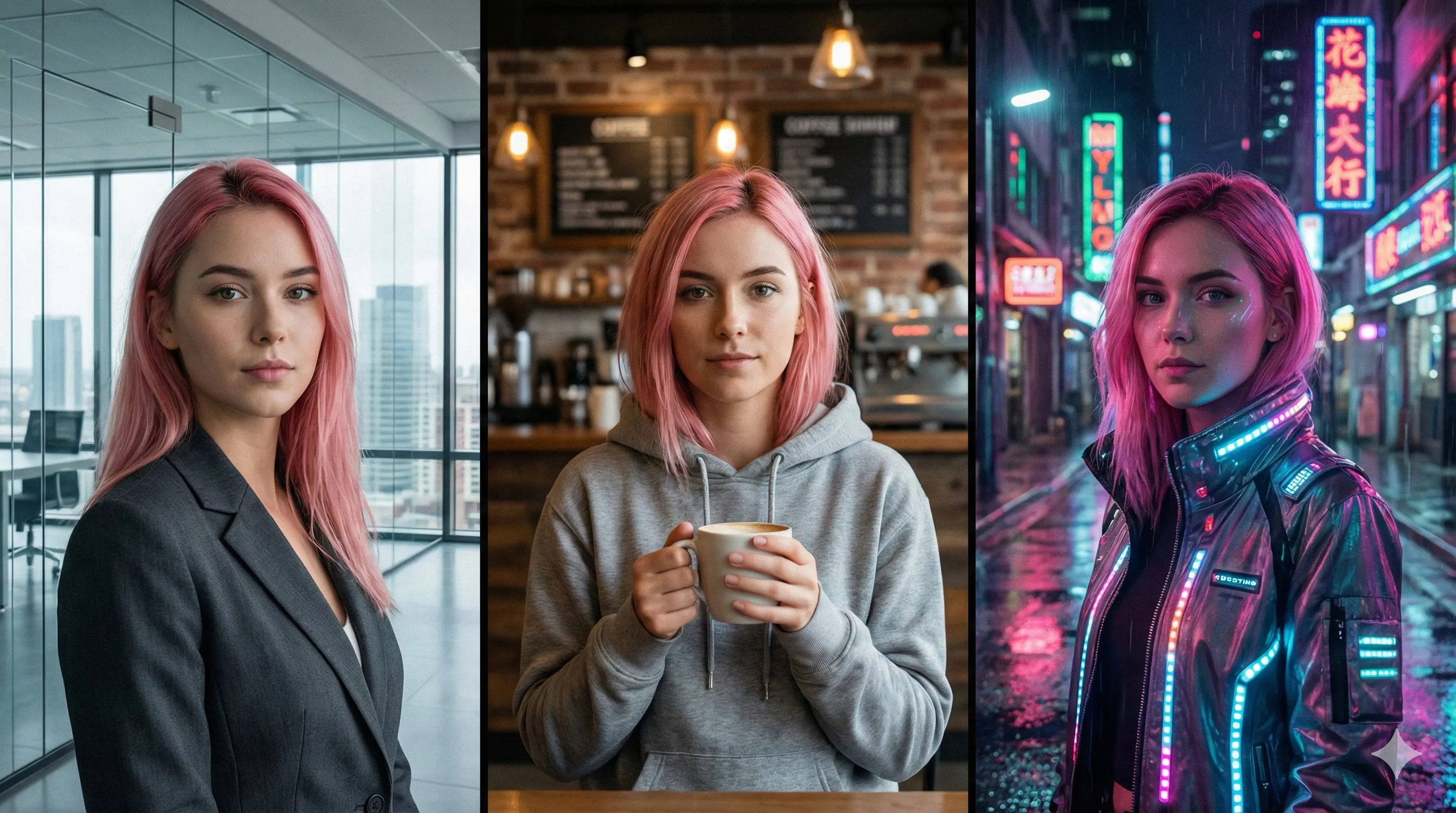
Step 2: The Location Shoot (Background Replacement)
Don't regenerate from scratch. Take your Master Portrait and run Image-to-Image Background Replacement to move the same face into new environments.
- Keep the face and pose; swap only the backdrop.
- Nano Banana Pro adapts lighting to the new scene (for example, warm rim light at sunset).
Prompt formula: "[Same subject], [New environment], [Lighting], [Camera angle]"
Example: "Same subject, bustling Tokyo street at night, neon signage lighting, shallow depth of field."
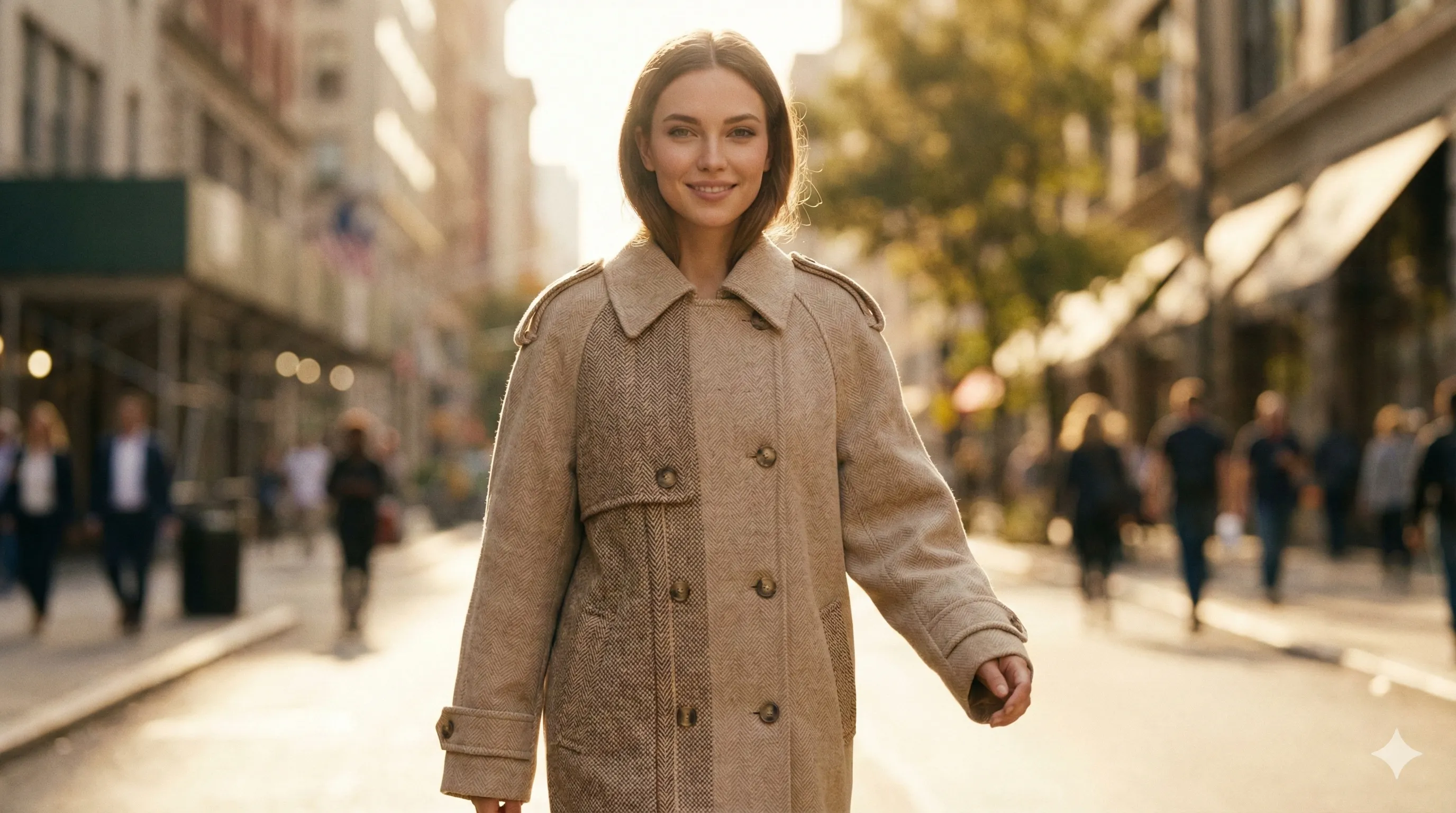
Step 3: The Wardrobe Change (Outfit Swap)
A virtual influencer needs wardrobe variety. Use Outfit Swap to preserve pose and identity while applying new clothes.
- Describe the outfit or upload a flat-lay product photo.
- The model keeps body structure and renders new fabric realistically.
Prompt formula: "Replace outfit with a [color/material] [item], professional fashion photography style."
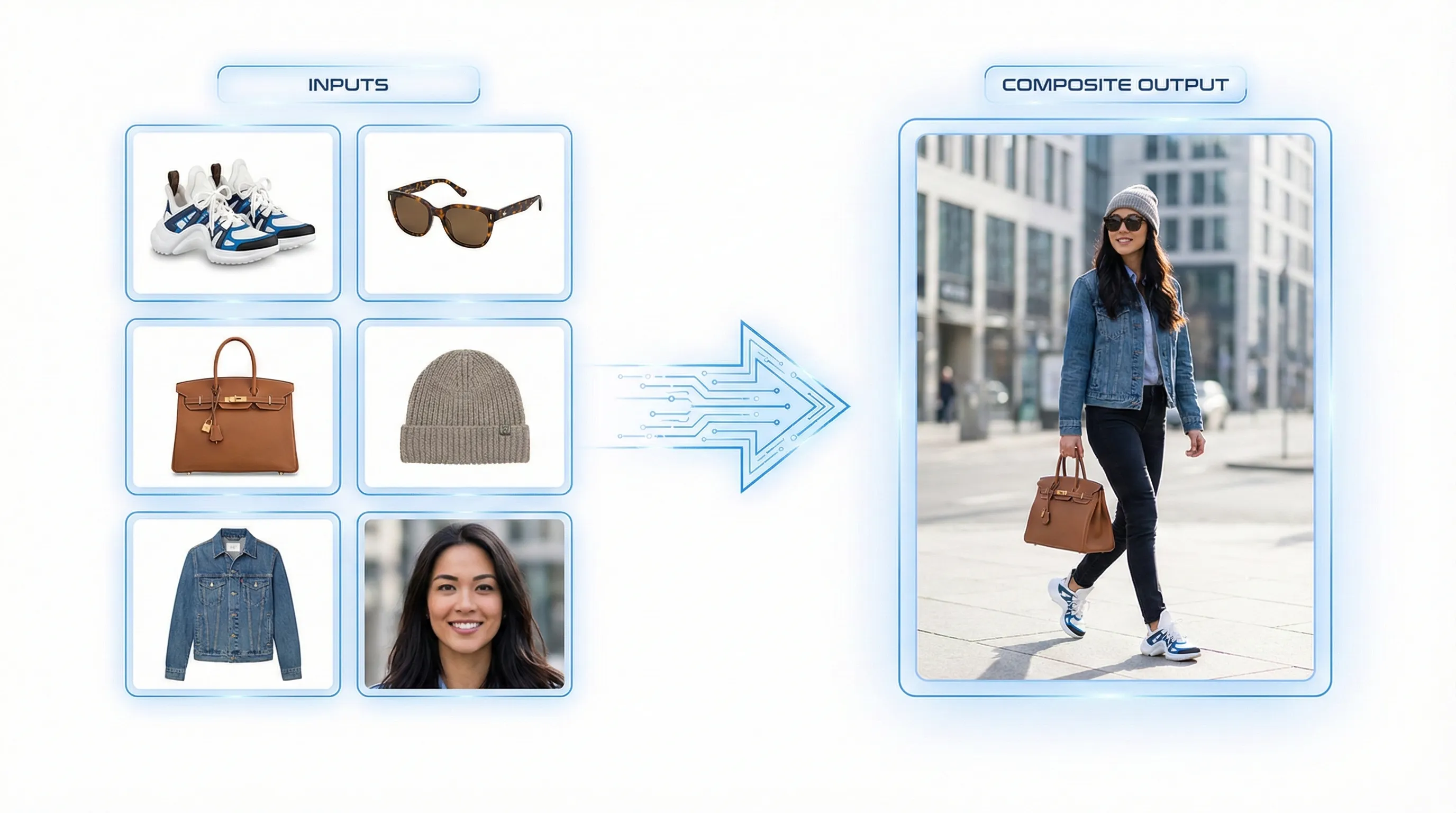
Step 4: The Details (Upscaling & Typography)
For commercial polish, upscale to 4K so skin texture stays natural. If the character holds signage or appears on a mock cover, Nano Banana Pro typography rendering keeps text clean, avoiding gibberish text seen in older models.
Conclusion
Consistency no longer requires expensive 3D pipelines. By stacking Identity Fusion for the face with Image-to-Image for context, Nano Banana Pro lets you control a character's life—identity, locations, and wardrobe—across 100+ shots. Try the Identity Fusion workflow in NanoEditor to build your own virtual influencer today.
Recommended Reading
More Nano Banana Pro guides and workflows you may find useful.
Best AI Image Tools in 2026: Ranked & Compared
A practical 2026 ranking of the best AI image generation tools, comparing Midjourney, DALL-E 4, Stable Diffusion, Flux 2, and emerging alternatives with real-world performance benchmarks and workflow recommendations.
AI Headshot Generator: Create Professional Portraits from Your Photos
Learn how AI headshot generators create professional portraits from casual photos, best practices for uploading photos, prompt tips, and industry-specific use cases.
From Prompt to Product: How to Generate Best-Selling AI Stickers and T-Shirt Designs
POD workflow for Nano Banana Pro: die-cut sticker prompts, trending styles, 4K output for tees, and clear text rendering.