
Image-to-Image Editing with Nano Banana Pro: Outfit Swap, Makeup Try-On & Background Replacement
Learn how to use Nano Banana Pro for outfit swaps, makeup try-ons, and background replacements with production-ready control over lighting, camera, and subject consistency.
Introduction
Google’s Nano Banana Pro, built on Gemini 3 Pro, brings a major leap for transforming existing photos. Beyond generating images from scratch, it excels at refining, editing, and repurposing visuals with precision.
In this article, we focus on three high-impact image-to-image workflows: outfit swapping, makeup try-on, and background replacement—all powered by Nano Banana Pro’s advanced capabilities.
Looking for model specs or pricing? Check the Nano Banana Pro overview.
Why Image-to-Image Editing Matters
Production pipelines often start with real photos. For brands, creators, and marketers, changing outfits, simulating makeup, or swapping backgrounds is valuable but traditionally complex.
Nano Banana Pro addresses these tasks with:
- High-resolution output (2K/4K)
- Strong editing controls (lighting, camera angle, focus)
- Precise handling of text and visual overlays
These improvements make outfit swaps and background changes practical for daily creative workflows.
How Nano Banana Pro Supports These Workflows
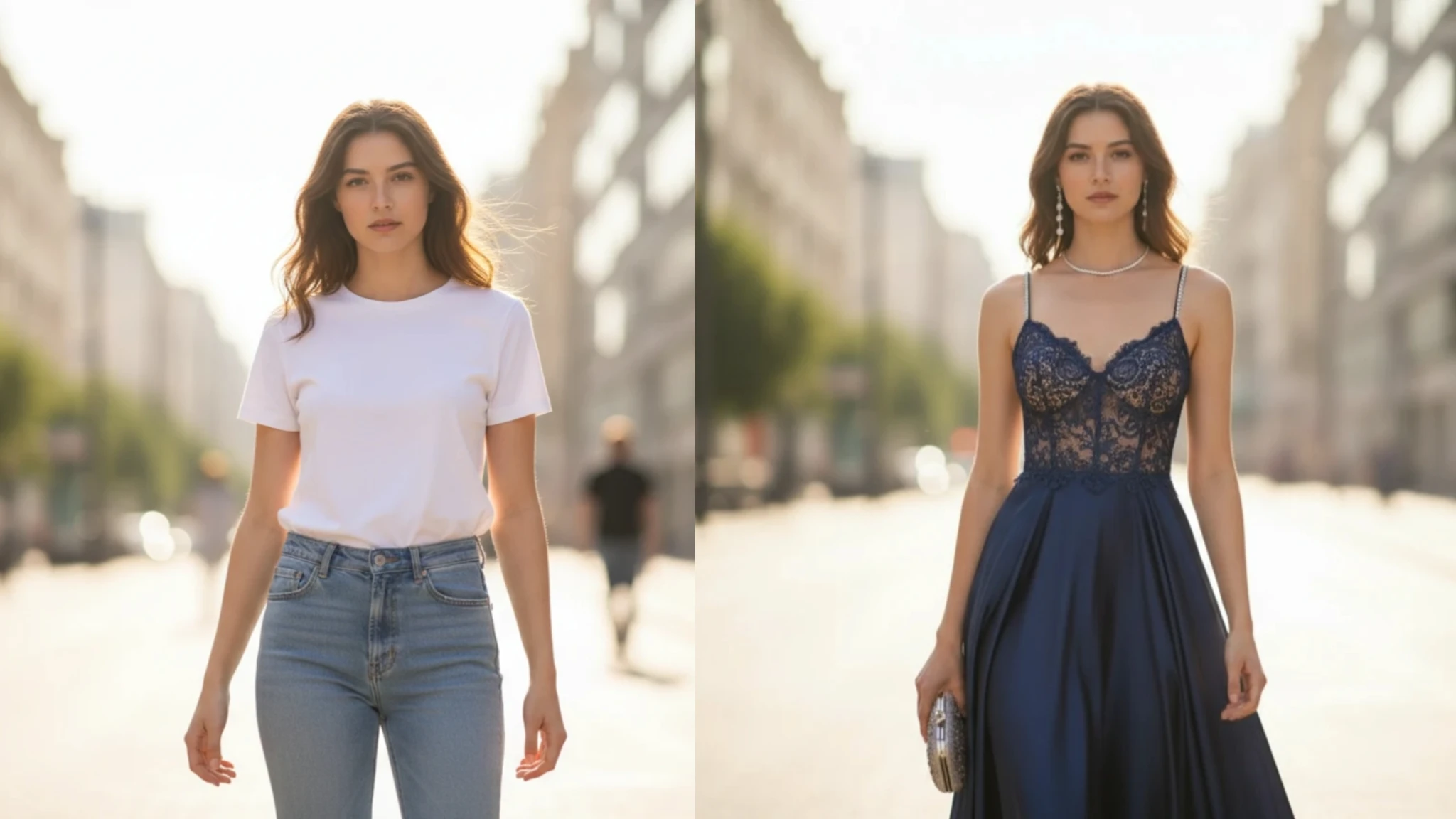
Outfit Swap
Upload a reference photo and describe the new outfit. The model re-generates the image while keeping pose, lighting, and identity consistent.
Prompt starter: “Replace outfit with a tailored navy suit, keep pose and lighting, professional portrait style.”
Makeup Try-On
Start from a portrait and prompt for makeup changes—lipstick, eye shadow, or subtle lighting shifts—while preserving facial structure and skin texture.
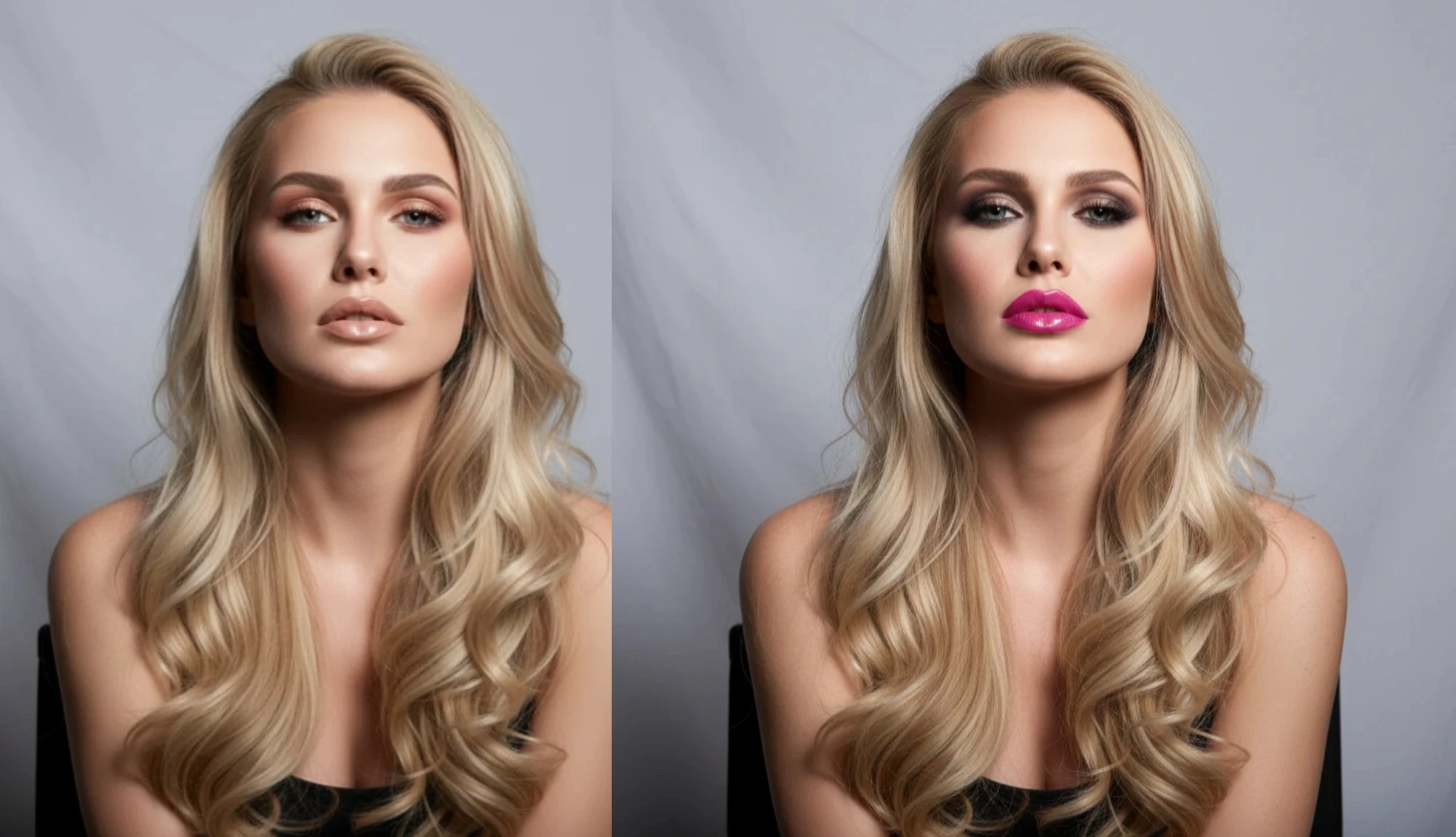
Prompt starter: “Soft glam makeup with warm tones, natural skin texture, studio key light, retain original pose.”
Background Replacement
Replace or extend backgrounds with clear camera and lighting directions. Turn indoor shots into outdoor scenes, change time of day, or merge multiple inputs into a new environment.
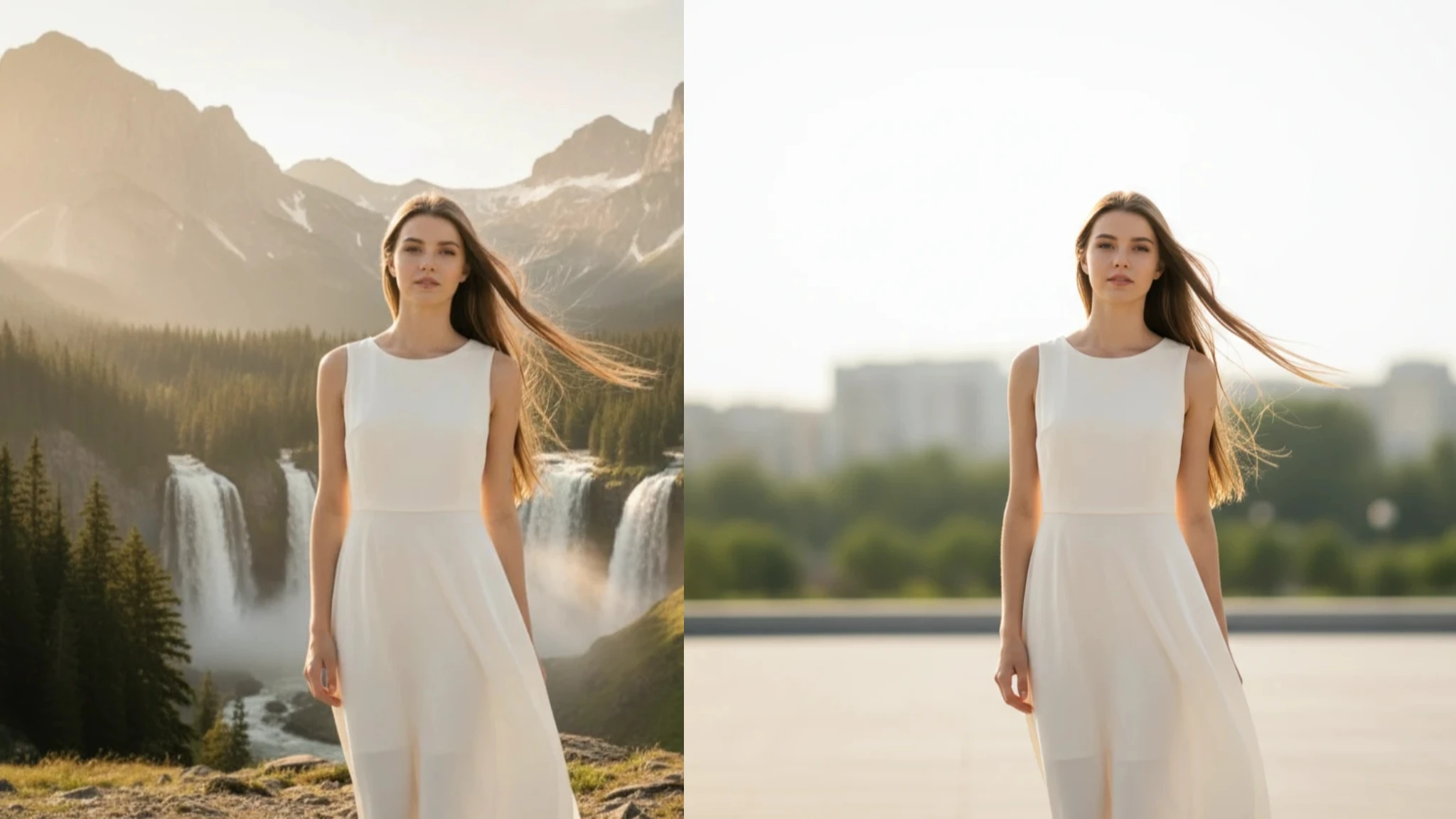
Prompt starter: “Same subject and pose, golden-hour outdoor park background, shallow depth of field, soft rim light.”
Best Practices & Tips
- Use clean, high-resolution inputs so the model has full detail.
- State what stays fixed (pose, subject) and what changes (clothes, background, lighting).
- For outfits or makeup, add a reference image for the desired style.
- For backgrounds, specify camera angle, lighting conditions, and mood (e.g., “cinematic dusk”).
- If adding text overlays, check legibility—the model handles text well but verify the final render.
Limitations & Considerations
- Results are strong but may still need prompt tuning; iterate to dial in style or lighting.
- For commercial-grade use, consider light post-production (e.g., Photoshop, Lightroom).
- Ensure you have rights to any reference images you upload.
Conclusion
Image-to-image editing is a core workflow for creators and brands. With Nano Banana Pro, NanoEditor brings professional-grade outfit swaps, makeup try-ons, and background replacements within reach. Start experimenting and turn reference photos into high-impact visuals.
Want to see broader model capabilities? Read the Nano Banana Pro launch overview.
Recommended Reading
More Nano Banana Pro guides and workflows you may find useful.
How to Keep Cartoon Character Colors Consistent in AI Image Generation
A practical guide to keeping cartoon character colors stable in AI image generation with small palettes, HSB language, prompt references, and visual comparison habits.
NanoEditor Now Supports Google's Nano Banana Pro Model
What the Nano Banana Pro integration means for detail quality, style accuracy, and image-to-image results—plus tips, prompts, and a limited-time offer.
From Prompt to Product: How to Generate Best-Selling AI Stickers and T-Shirt Designs
POD workflow for Nano Banana Pro: die-cut sticker prompts, trending styles, 4K output for tees, and clear text rendering.