
Original Rogue Operative
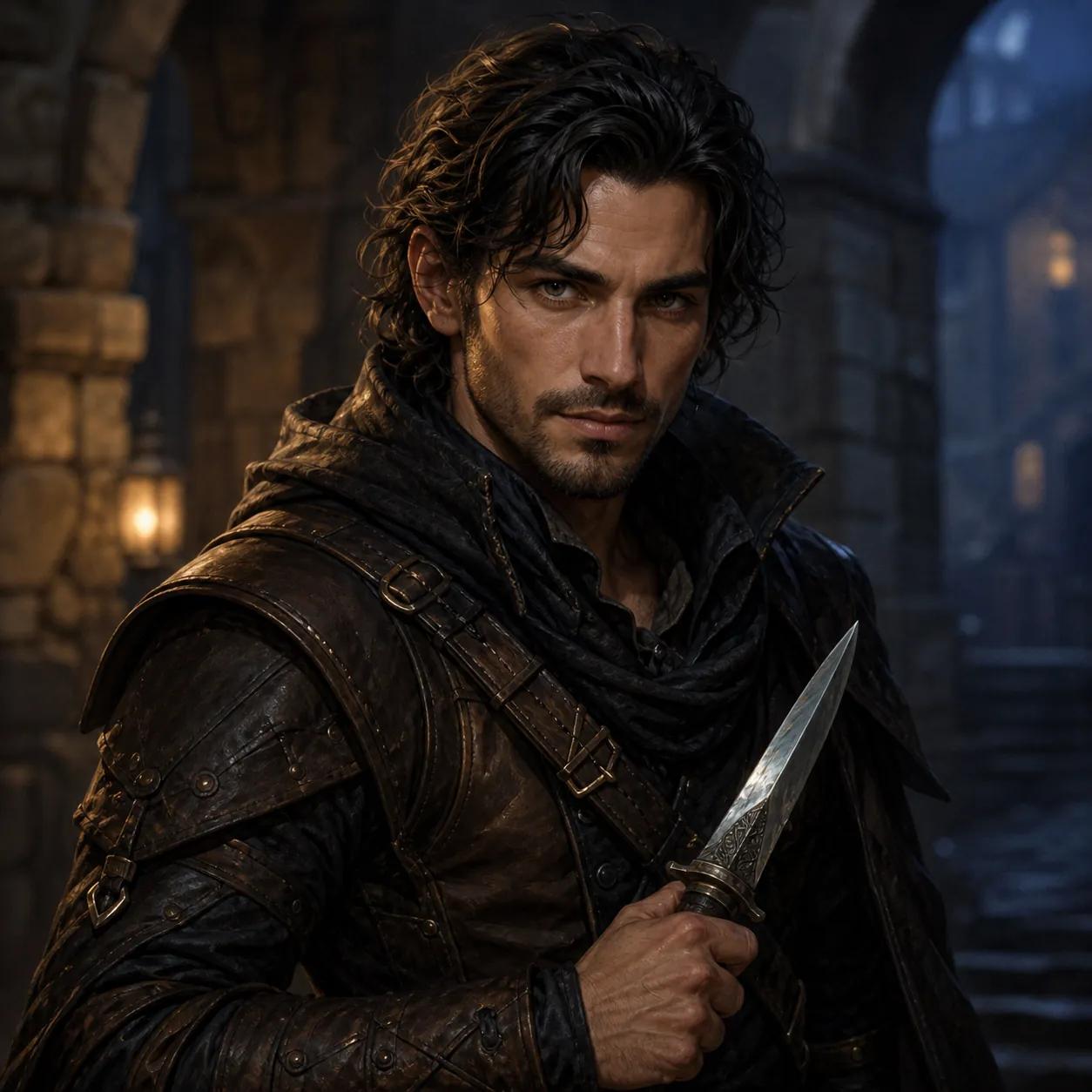
Layered worn leather, a compact dagger, and a quiet ready stance establish the Rogue role while warm-and-cool light keeps the unobstructed face readable.
D&D rogue character art
A D&D rogue portrait generator turns a visible face, layered leather, one practical tool or dagger, an agile stance, and a watchful expression into one focused upper-body fantasy portrait. Start with Rogue preselected, keep the face out of the hood, and refine the character in the real generator below.
Character Brief
Complete the ancestry, class and portrait fields, then add one defining detail you want reflected in the image.
Free portraits use Epic Fantasy. Paid plans unlock all styles.
Hero unlocks HD and 4K output.
Create one standalone high-quality tabletop RPG character portrait of an adult female Human Rogue. Identity: natural human facial features, expressive eyes, realistic skin detail. Class and gear defaults: dark fitted leather, dagger or lockpick detail, agile stealth posture, sharp expression. Composition: upper-body portrait from head to waist, centered character, eye-level camera, not a close-up headshot, not a full-body distant shot, face clearly visible, torso, shoulders, outfit, and key gear visible, face occupies about 25-30% of the image. Lighting: soft readable portrait lighting, clear eyes, natural skin or material detail, controlled shadows, no face hidden in shadow. Background: softly blurred low-detail fantasy setting, supports the character without competing with the face or silhouette. epic fantasy digital painting, campaign-book energy, richly detailed costume and armor, heroic scale Avoid: no text, no watermark, no logo, no UI, no character sheet layout, no distorted hands, no extra fingers, no extra limbs, no cropped head, no blurry face, no low quality.
One successful guest portrait. Failed generations do not consume the trial.
Portrait Reveal
Your generated fantasy RPG portrait appears here, ready to review and download.
Your portrait will appear here
Complete the character brief and generate one focused fantasy RPG portrait.
D&D rogue portrait examples
A strong rogue portrait shows the person before the stereotype. Use one layered silhouette, one compact tool or weapon, and a controlled pose to communicate skill while the face remains clear in a square crop.
Layered worn leather, a compact dagger, and a quiet ready stance establish the Rogue role while warm-and-cool light keeps the unobstructed face readable.
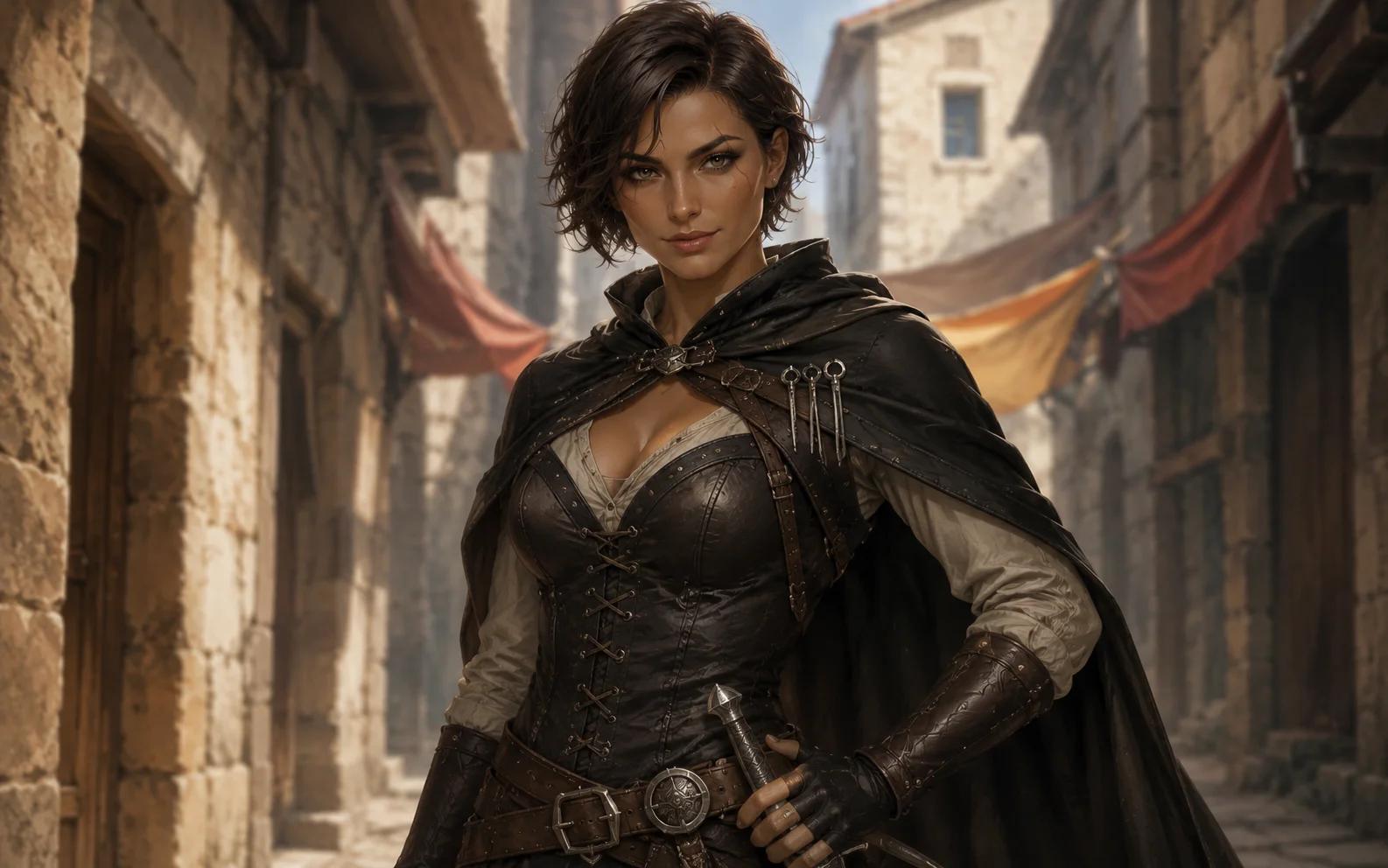
A lighter street setting shows how fitted layers, a pushed-back cloak, and one visible blade can communicate mobility without hiding the expression.

A practical travel reference demonstrates how a map case, layered outerwear, direct eye contact, and a controlled shoulder line can define a field-focused character.
Build a readable rogue brief
Treat Rogue as a visual hierarchy rather than a pile of familiar props. Establish the face and shoulder silhouette first, then choose leather layers, one role-defining object, a compact ready posture, and lighting that protects the expression.
Use an open collar, lowered hood, short cloak, or asymmetrical shoulder line that frames the eyes and mouth instead of covering them.
Combine two or three readable surfaces such as worn leather, matte cloth, dull metal, or repaired stitching so the clothing feels used rather than ornamental.
Use one compact dagger, lock tool case, rope coil, map, or other visible object that fits the character and remains secondary to the face.
Angle the shoulders, turn the torso slightly, or place one hand near the main object to suggest readiness without requiring a full action scene.
Choose watchful, amused, cautious, focused, or another specific expression, then keep enough light on the eyes for it to survive at thumbnail size.
Rogue portrait use cases
This workflow creates one square upper-body portrait for a single character. It is a visual reference for tabletop play and storytelling, not a rules build, character sheet, token pack, full-body action scene, or party image.
Create a Rogue portrait for a campaign profile, character notes, private wiki, or session introduction without turning the image into a character sheet.
Use travel wear, maps, compact tools, and an alert expression to distinguish a field scout, tracker, investigator, or cautious guide.
Use tailored layers, one telling accessory, controlled posture, and direct eye contact to define an informant, rival, or covert contact.
FAQ
Character Guides
Use these practical guides to choose visible details, write a focused character brief, and prepare the final image for campaign use.
Rogue Portrait Prompt Guide
Build a D&D rogue portrait prompt for a city thief, scout, spy, or adventurer with a clear face, practical gear, agile posture, and focused light for RPG art.
Read guideRogue Character Design Guide
Plan D&D rogue character design through silhouette, layered leather, practical tools, agile posture, clear expression, and a portrait-ready visual hierarchy.
Read guideD&D Portrait Guide
Learn how to write a focused D&D character portrait prompt using ancestry, class, equipment, appearance, mood, composition, and a single readable story detail.
Read guidePlan silhouette, leather layers, tools, posture, expression, materials, and portrait hierarchy before you generate.
Use the full D&D portrait brief when you want broader ancestry, role, equipment, appearance, and mood controls.
Plan a face-first square portrait that remains readable when used as a small virtual tabletop character image.
Use a broader prompt order for subject, equipment, appearance, mood, composition, and controlled revision choices.
Compare front-facing, three-quarter, ready-for-battle, and spellcasting poses while keeping the face readable.