Key takeaways
NanoEditor is a focused portrait workflow, not a general-purpose image studio.
Midjourney offers flexible prompting and reference-image workflows for artists who want to experiment.
Leonardo AI offers broader image creation, editing and reference controls with a token-based free tier.
CharGen is aimed at DMs who need connected NPC, token and campaign tools alongside portraits.
Quick picks for different D&D art jobs
Start by deciding what needs to exist at the table. A player often needs one readable face for a character sheet or VTT profile; a Dungeon Master may need a roster of NPCs and tokens; an artist may want a series of cinematic compositions with strong style control. Those are different workloads. Selecting a platform by the most impressive example image alone can lead to extra work when you need a usable square portrait.
The following choices are based on each product’s described capabilities and NanoEditor’s own workflow, checked on October 9, 2026. They are not claims that one service generates objectively better images than another. Free allowances, models, commercial-use terms and prices can change; verify them on each provider’s website before paying.
| Tool | Best fit | Main trade-off |
|---|---|---|
| NanoEditor | Guided ancestry/class portrait with an uncomplicated brief | Focused on portraits; no integrated campaign world-builder |
| Midjourney | Detailed artistic direction, references and composition exploration | More prompt and iteration work; web/Discord generation requires a subscription |
| Leonardo AI | Broad image creation, reference guidance and editing | General-purpose interface and variable token costs |
| CharGen | NPC portraits alongside tokens, characters and campaign tools | Broader suite may be more than a player needing one portrait wants |
NanoEditor: best fit for a guided D&D character portrait
NanoEditor is our product. It starts with fields that describe a tabletop character: ancestry, class, presentation, equipment, appearance, mood and art style. The workflow turns that brief into a single character portrait. It is intended for players and DMs who know their character but do not want to learn prompt-engineering terminology. There is also a shorter quick generator when you only want to pick the essentials.
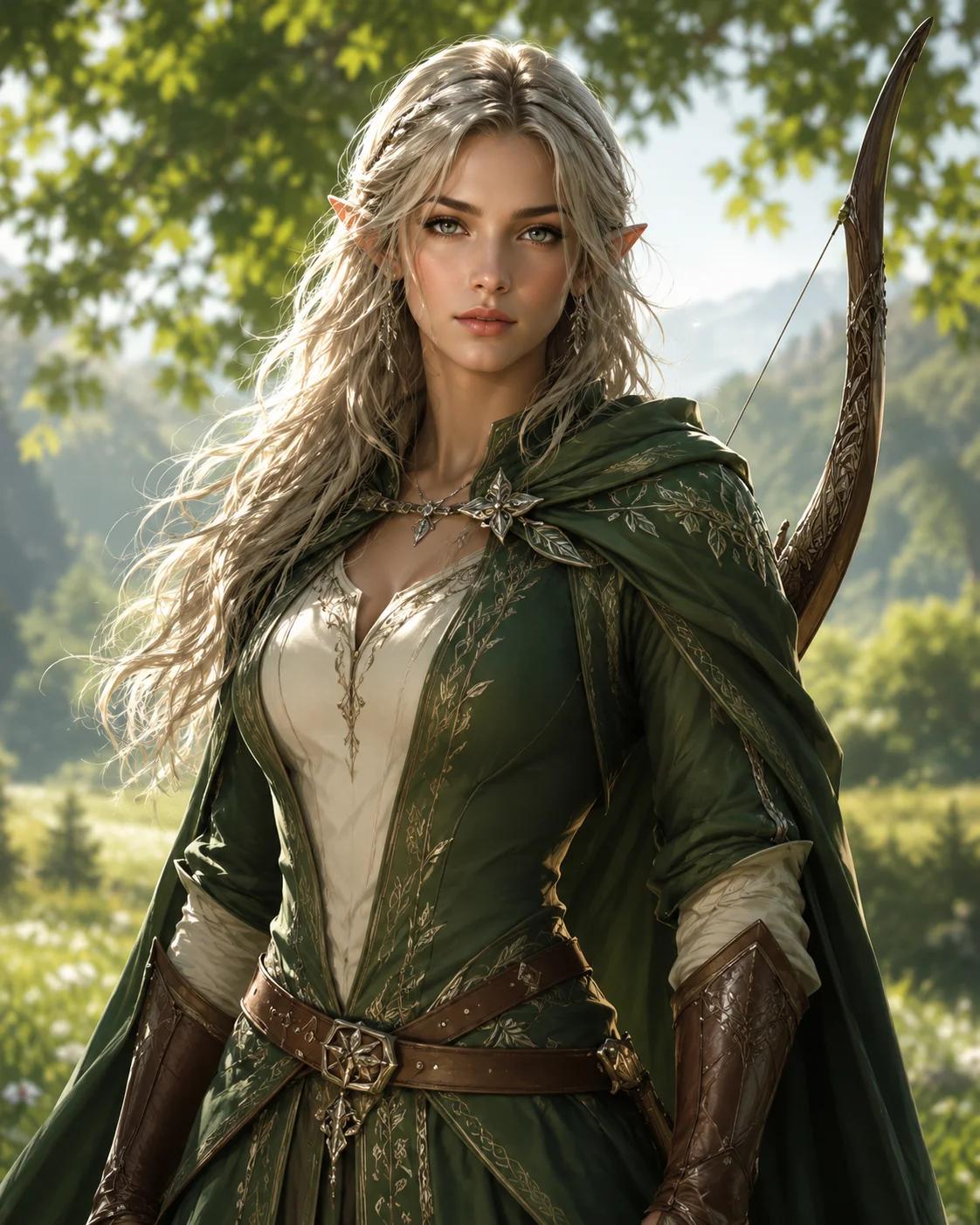
Its limit is equally important: NanoEditor is not a rulebook character builder, a battlemap generator, a campaign database or a multi-layer image editor. For a portrait that reads at avatar size, choose one signature item and keep the face clearly visible. The existing example below shows the kind of fantasy character presentation this workflow targets; it is not a side-by-side result from the other products.
- Start with the class and ancestry that match your actual character.
- Describe one visible face detail and one signature piece of equipment.
- Use the D&D portrait tool, or switch to the quick generator for a shorter form.
Midjourney: best fit for art-direction flexibility
Midjourney works well as an option when your first question is “what visual direction could this character take?” rather than “how do I fill out my D&D sheet?” Its prompt controls cover subject, composition, mood, environment and artistic medium. Image Prompts and Style References help explore a visual language across variations. These controls are valuable for campaign splash art, highly stylized portraits and creative experimentation.
The trade-off is that you supply more of the art direction. To keep a specific elf ranger recognizable, you need to describe the relevant facial anchors and manage your references deliberately. Midjourney’s official documentation states that there is no free trial on its website or Discord at the time of this update, although a limited niji journey app trial exists. For a one-off no-cost portrait, a genuine free tier elsewhere is simpler.
For current reference options and limitations, see Midjourney’s official Image Prompts documentation.
Leonardo AI: best fit for broad free-form image creation
Leonardo AI combines text-to-image, image-to-image guidance, editing and style choices. This is useful when you want to test fantasy portraits, environments and different visual directions in the same creative platform. Reference guidance offers ways to steer a character’s visual attributes, but—as Leonardo’s own documentation explains—character references do not promise a perfect replica or a face swap.
Leonardo offers a token-based free tier. Tokens are a unit of platform usage, not a guarantee of a fixed number of portraits: different models, batch sizes and tools can cost different amounts. If you enjoy exploring settings and revising images, the flexibility may justify the extra steps. If all you need is an immediately recognizable RPG profile portrait, the broader control surface can feel unnecessary.
Feature categories and current capabilities are listed on Leonardo AI’s official image generator overview.
CharGen: best fit for a connected tabletop campaign
CharGen is positioned around the Dungeon Master’s larger workflow. Its official site describes character and NPC art, a campaign workshop, and token-making tools that take a portrait into VTT use. That matters if the output is not merely a picture but part of a named settlement, recurring character or prepared encounter. You can make many connected campaign assets without switching context at every step.
However, a player who only wants one portrait may not need a complete world-building suite. Compare the actual steps you would take: selecting a generator, describing an NPC, exporting a portrait, and preparing a token. The right winner is the one that leaves less manual cleanup for your particular session, not the one with the longest feature list.
See CharGen’s official tabletop tool overview for its present NPC and token workflow.
A fair five-minute way to compare D&D art tools
Use the same character description across platforms: “Half-elf ranger, dark green travel cloak, short silver braid, weathered bow, focused expression, upper-body portrait, clear face, subdued forest light.” Record whether the form requires a long prompt, whether the image can be downloaded, and whether the face stays visible in a small square crop. Keep your decision grounded in what you can use at the table.
For a stronger comparison, generate several attempts per tool rather than judging from a homepage gallery. Note manual revisions, output rights and the cost of a successful image. We have not run this standardized benchmark, so this article deliberately avoids fabricated success rates, image scores or comparative speed claims.
- Evaluate the actual workflow, not only polished marketing examples.
- Check small-size readability for VTT and profile use.
- Confirm each provider’s current free limits, commercial rights and privacy settings.
- Choose based on the kind of asset your campaign needs next.
Final choice: what should you use?
For character portraits created from a straightforward D&D brief, NanoEditor is a relevant starting point. For expansive artistic exploration, Midjourney or Leonardo AI may be more suitable. For NPCs, tokens and campaign management in the same system, explore CharGen. None of these choices substitutes for a D&D character-sheet or rules builder.
If you are primarily looking for a no-cost starting point, read our free D&D portrait generator comparison. If you want fewer written prompts, use the no-prompt workflow guide. Both cover specific questions that this general overview only introduces.
Put the guide into practice
Try NanoEditor’s guided D&D portrait maker
Choose ancestry, class, equipment, appearance and art direction without building a prompt from scratch.
Start creating