
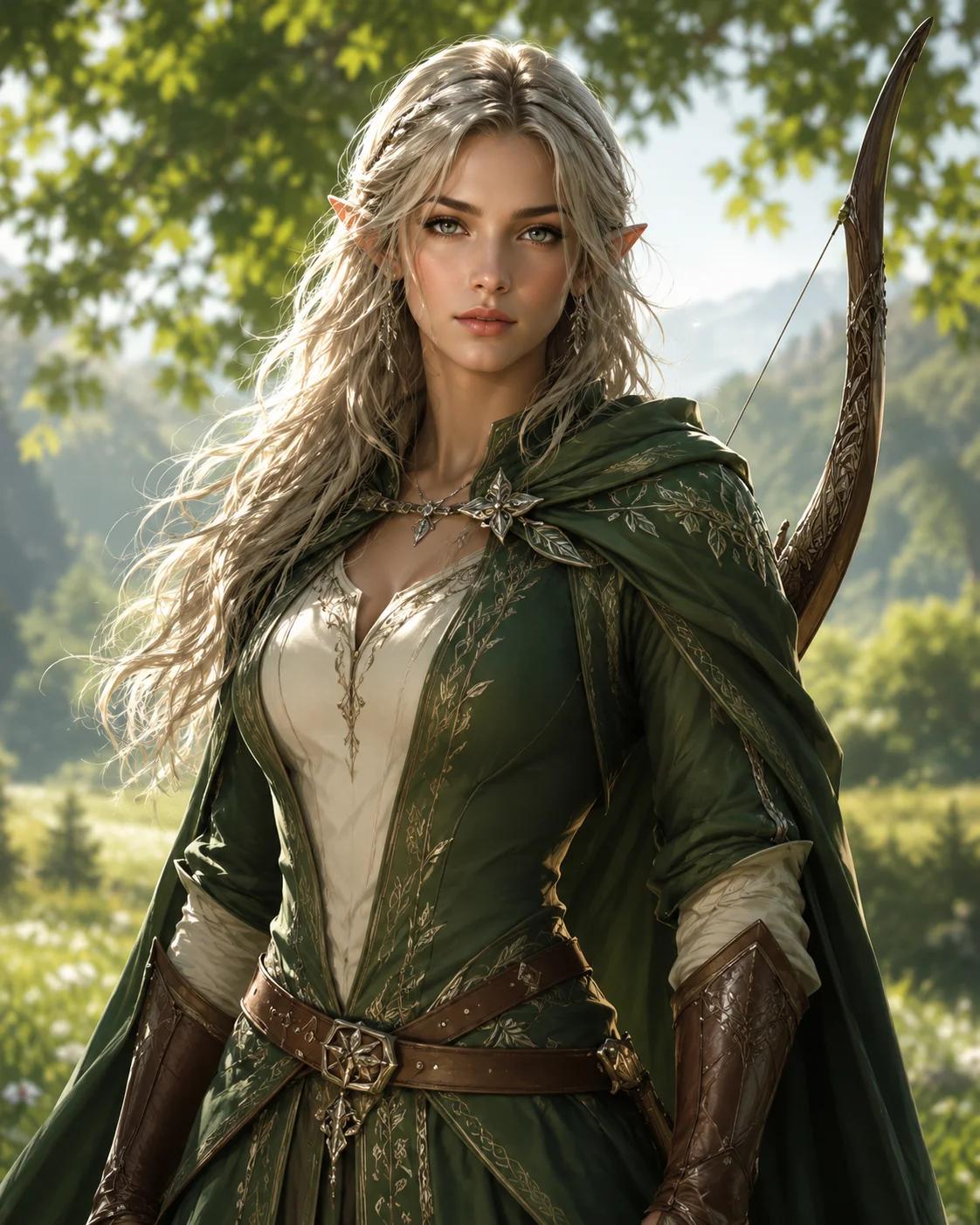
Ranger VTT Portrait
A clear face, cloak and bow establish the ranger role without overcrowding the smaller online profile frame.
Virtual tabletop character art
Build a square fantasy portrait from ancestry, class, equipment, appearance and mood. The focused upper-body composition keeps the face and character role recognizable inside online tabletop profiles, player lists, campaign dashboards and chat avatars.
The short answer
Use this page when you need the square character portrait that sits beside a digital sheet or player profile. NanoEditor does not add a circular token border or export VTT data; it creates the underlying character art that you can upload or crop elsewhere.
Best for
Not for
Character Brief
Complete the ancestry, class and portrait fields, then add one defining detail you want reflected in the image.
Free portraits use Epic Fantasy. Paid plans unlock all styles.
Hero unlocks HD and 4K output.
Create one standalone high-quality tabletop RPG character portrait of an adult female Human Paladin. Identity: natural human facial features, expressive eyes, realistic skin detail. Class and gear defaults: polished plate armor, holy symbol, shield or sheathed sword, noble protective presence. Composition: upper-body portrait from head to waist, centered character, eye-level camera, not a close-up headshot, not a full-body distant shot, face clearly visible, torso, shoulders, outfit, and key gear visible, face occupies about 25-30% of the image. Lighting: soft readable portrait lighting, clear eyes, natural skin or material detail, controlled shadows, no face hidden in shadow. Background: softly blurred low-detail fantasy setting, supports the character without competing with the face or silhouette. epic fantasy digital painting, campaign-book energy, richly detailed costume and armor, heroic scale Avoid: no text, no watermark, no logo, no UI, no character sheet layout, no distorted hands, no extra fingers, no extra limbs, no cropped head, no blurry face, no low quality.
One successful guest portrait. Failed generations do not consume the trial.
Portrait Reveal
Your generated fantasy RPG portrait appears here, ready to review and download.
Your portrait will appear here
Complete the character brief and generate one focused fantasy RPG portrait.
VTT portrait examples
A useful virtual tabletop portrait must remain clear when displayed beside a sheet or player list. Strong images use a readable face, a simple class silhouette and only the most important equipment details.
A clear face, cloak and bow establish the ranger role without overcrowding the smaller online profile frame.

Elven features, light armor and one spellblade detail create a readable arcane fighter profile.

Armor, beard and holy-role details communicate the party function at a glance during an online session.
How to create a VTT portrait
The generator creates a square portrait rather than a map token with a border. Focus on the face, shoulders and class identity, then crop or place the downloaded image inside the profile area supported by your campaign tool.
Set the visible fantasy traits and the costume or armor silhouette that other players should recognize quickly.
Use one signature weapon, focus or holy symbol rather than filling the profile image with several small objects.
Describe the expression, hair, scars or lighting that should distinguish the character inside a compact frame.
Download the square portrait and add it to the character profile, campaign dashboard or private session space.
VTT portrait use cases
A consistent image makes it easier to recognize the player character across the different views and supporting spaces used during an online campaign.
Place the portrait beside the digital sheet so the character identity remains visible during rules and inventory work.
Use a readable face and role silhouette wherever the virtual tabletop displays party members in a compact list.
Reuse the same portrait in party discussions, campaign notes, lore pages and session recaps.
FAQ
Character Guides
Use these practical guides to choose visible details, write a focused character brief, and prepare the final image for campaign use.
VTT Portrait Guide
Choose practical VTT portrait and token dimensions, safe crops, file formats, face scale, backgrounds, and export settings for clear tabletop character art.
Read guideD&D Image Type Guide
Learn the difference between a D&D character portrait, avatar, and VTT token, then choose the right image workflow for a sheet, profile, campaign page, or map.
Read guideD&D Tool Decision Guide
Learn when you need D&D character art, a rules-based character builder, a miniature designer, or a VTT token workflow before choosing the right tool online.
Read guideD&D Portrait Guide
Learn how to write a focused D&D character portrait prompt using ancestry, class, equipment, appearance, mood, composition, and a single readable story detail.
Read guideCharacter Design Guide
Describe a D&D character’s face, ancestry, clothing, equipment, expression, and story marks with enough visual detail to create a readable fantasy portrait.
Read guideUse a faster four-choice workflow for Discord, group chat and campaign profiles.
Create a more detailed character avatar with equipment, appearance and mood controls.
Build detailed player-character art for sheets, introductions and campaign documents.