
Key takeaways
Create portraits for recurring NPCs before background extras.
Use role, attitude, signature object, and one story cue as the visual brief.
Store the portrait next to the NPC notes so the same identity returns with the character.
NanoEditor creates portrait art only, not NPC stats or dialogue.
Start with the NPCs players are likely to meet again
Not every passerby needs custom art. Portraits have the most value for patrons, rivals, merchants, faction leaders, recurring allies, important prisoners, villains, and other characters whose return should trigger recognition.
This keeps preparation focused. If an NPC appears once and has no relationship to the party, a short verbal description may be enough. If the character carries information, influence, trust, debt, or threat across sessions, a stable face becomes more useful.
Use a four-part NPC portrait brief
Begin with the social or story role: merchant, military officer, scholar, temple keeper, smuggler, diplomat, rival adventurer, or another clear function. Add the attitude players should read in the face. Then choose one object that explains the role and one physical or costume detail that makes the character distinct.
For example: “elderly dwarf apothecary; suspicious but tired; brass key ring; green-stained fingers and heavy wool coat.” That tells the image generator more than a paragraph of hidden backstory because every part can appear in the frame.
- Role: what the party understands about the NPC at first meeting
- Attitude: what the face or posture should communicate
- Signature object: one tool, symbol, weapon, ledger, key, or focus
- Visible story cue: scar, uniform repair, jewelry, tattoo, stain, or distinctive grooming
Make the portrait readable before making it cinematic
A recurring NPC should remain recognizable when the image is shown in session notes or a small VTT panel. Keep the face and one signature cue prominent. Large environmental scenes may be attractive, but they can weaken recognition when the image shrinks.
NanoEditor’s NPC workflow uses the same structured portrait system as player-character pages. It creates one square portrait per request and keeps signed-in results private rather than publishing them to a public gallery.
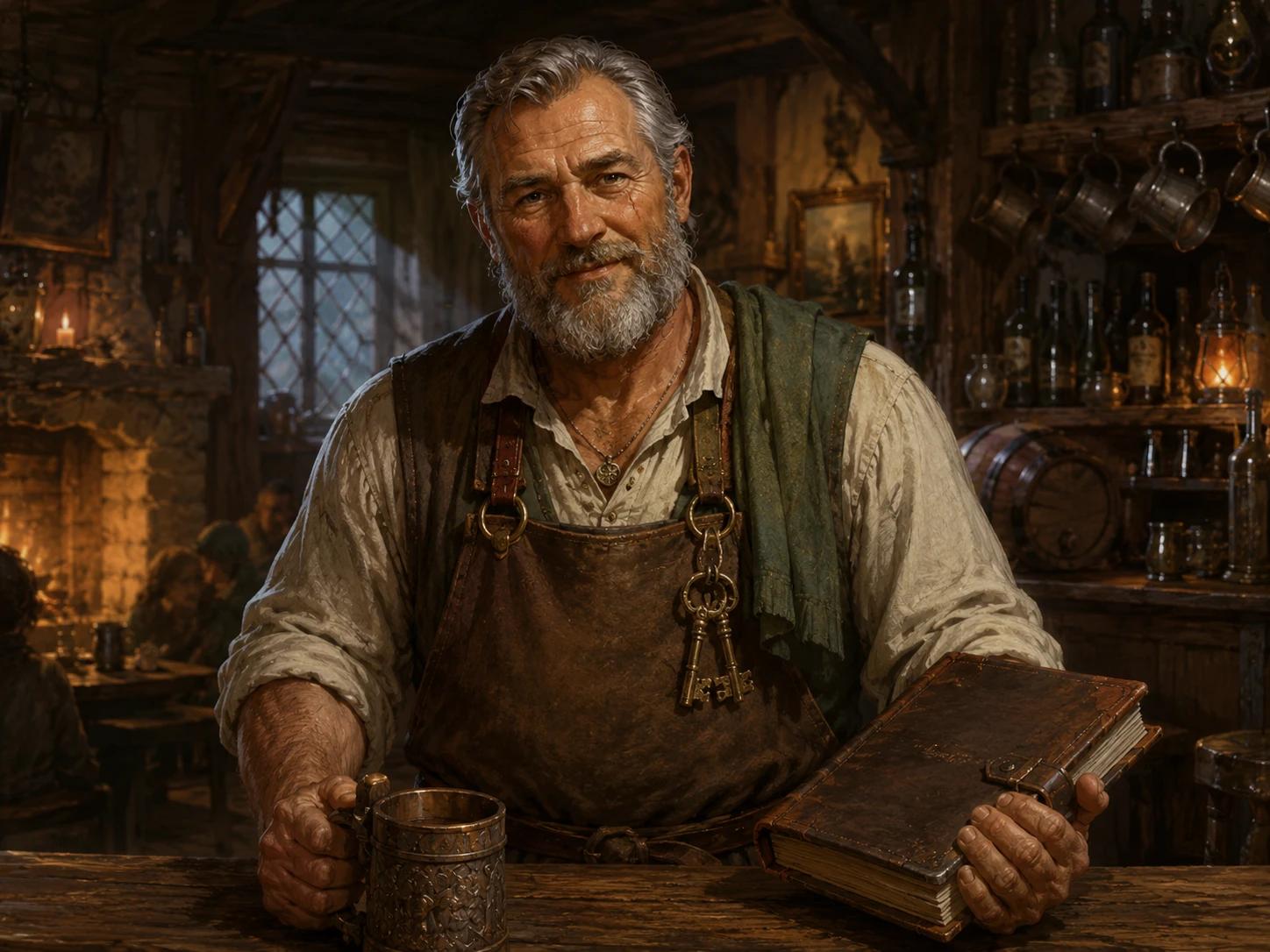
Store the portrait with the NPC record, not in a separate art pile
The portrait becomes operationally useful when it lives next to the name, faction, relationship, location, and current status of the NPC. That way, when the character returns months later, the same face returns with the notes.
NanoEditor is not a campaign database, so keep your authoritative notes in the tool you already use. Download the portrait and attach it to the NPC entry there. This keeps image generation separate from campaign management while preserving continuity.
Three NPC briefs that are specific without becoming long
A merchant can be: “middle-aged human spice broker; welcoming but observant; brass weighing scale; saffron-stained cuffs.” A faction officer can be: “young half-elf watch captain; disciplined and tired; dented badge; rain-dark cloak.” A rival adventurer can be: “tiefling duelist; amused and competitive; narrow rapier; one broken horn wrapped with silver wire.”
Each brief gives the portrait a social function, expression, object, and memorable visual cue. None of them needs a complete life story. If an NPC later becomes more important, add one new detail tied to what happened in play rather than redesigning the entire face. That makes the evolving portrait logic easier to connect to the campaign record.
How to preserve NPC continuity between sessions
Keep the downloaded portrait with the NPC notes and keep the original visual brief beside it. When the NPC returns, reuse the same identity facts instead of inventing a new description from memory. If the character has changed, record only the visible change: a new scar, faction pin, damaged coat, ceremonial armor, or different expression.
NanoEditor does not provide a dedicated persistent character-identity system across many generated scenes, so do not promise exact face consistency from repeated generations. The reliable continuity layer is your saved portrait plus the written visual facts in your campaign notes.
When you need an NPC generator instead of an NPC portrait generator
If you need a name, personality, goals, secrets, dialogue, encounter statistics, or a complete stat block, use an NPC-writing or rules tool first. That system can define who the NPC is mechanically and narratively.
Use the portrait generator after the identity is known. The separation avoids treating an image as if it were a rules-valid NPC and gives you a cleaner visual brief.
Put the guide into practice
Create a D&D NPC portrait
Build a recurring campaign face from ancestry, role, equipment, appearance, and mood.
Start creating